
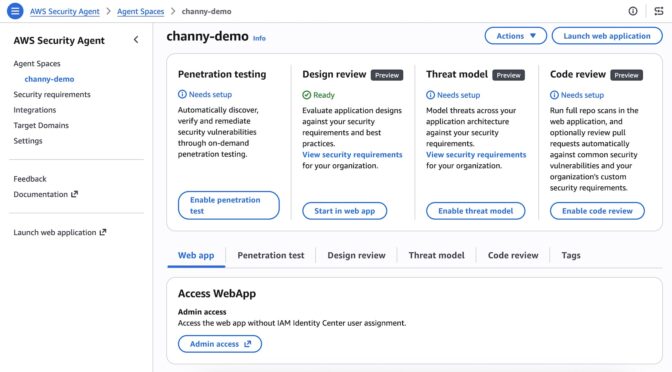
At re:Invent 2025, we previewed AWS Security Agent (now part of AWS Continuum), a frontier agent that proactively secures your applications throughout the development lifecycle across all your environments. You can perform on-demand penetration testing customized to your application, discovering and reporting security risks verified through exploitability testing.
Since the preview, we announced general availability for on-demand penetration testing and the preview of full repository code review that performs deep, context-aware security analysis of your entire codebase.
Today, we’re introducing more features based on customer feedback:
- Code review updates (Preview) — You can now use pull request scanning with remediation, security requirements packs, and simulated validation. New integrations support GitHub, GitLab, Bitbucket, and Confluence.
- Threat modeling (Preview) — AWS Security Agent analyzes your design documents or application source code, understands the full context of your application architecture and identifies threats with recommended mitigations using the STRIDE framework.
- Kiro power, Claude Code plugin, and MCP integration — You can run code reviews, generate threat models, and remediate findings directly from your IDE, CLI, or any AI-powered IDE through an open MCP integration, with results surfacing inline without any context switching.
Let’s take a closer look at each launch!
Code review updates
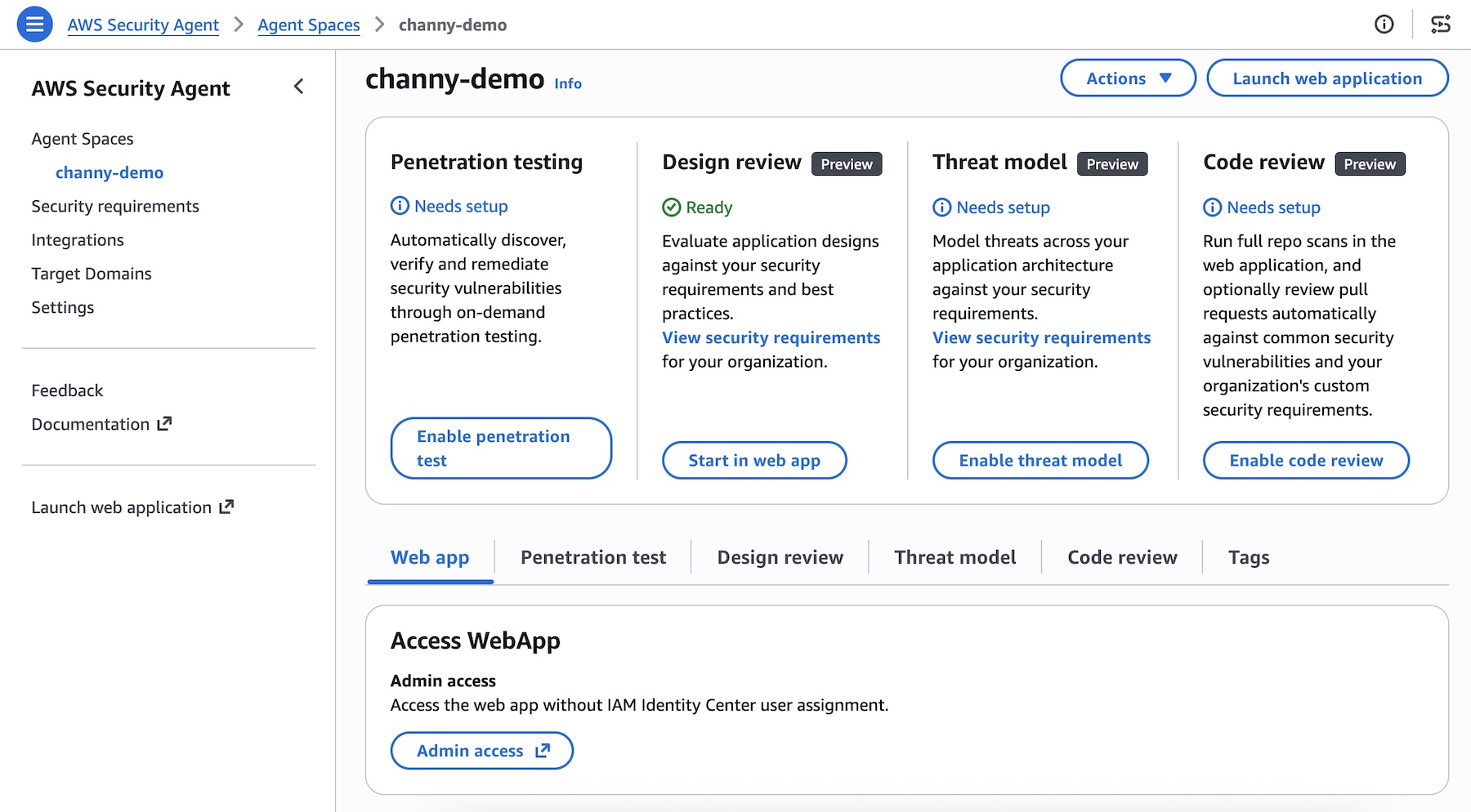
You can now connect to GitLab and Bitbucket in addition to GitHub— supporting both SaaS and self-hosted versions, so you can trigger scans regardless of where code lives. You can also integrate Confluence to reference your existing documentation as context for reviews.
To get started, choose Enable code review or update your code review setting in the Security Agent console.
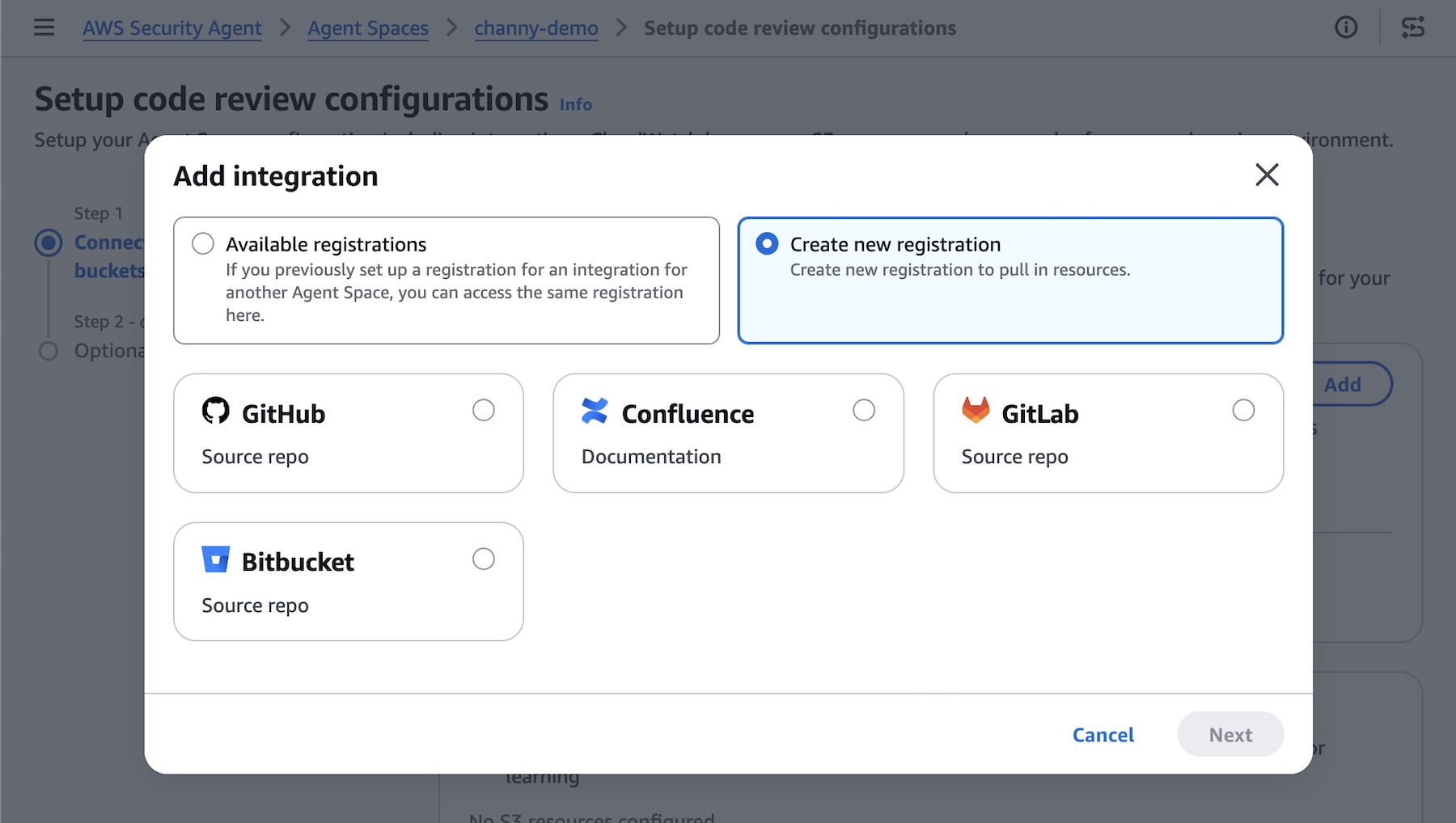
AWS Security Agent introduces deep, reasoning-based analysis on every pull request as well as full repository to identify complex vulnerabilities that go beyond pattern-matching. It checks against your organizational security requirements and common security risks to catch what other tools can’t. To get started, access the Security Agent web application and run your code review.
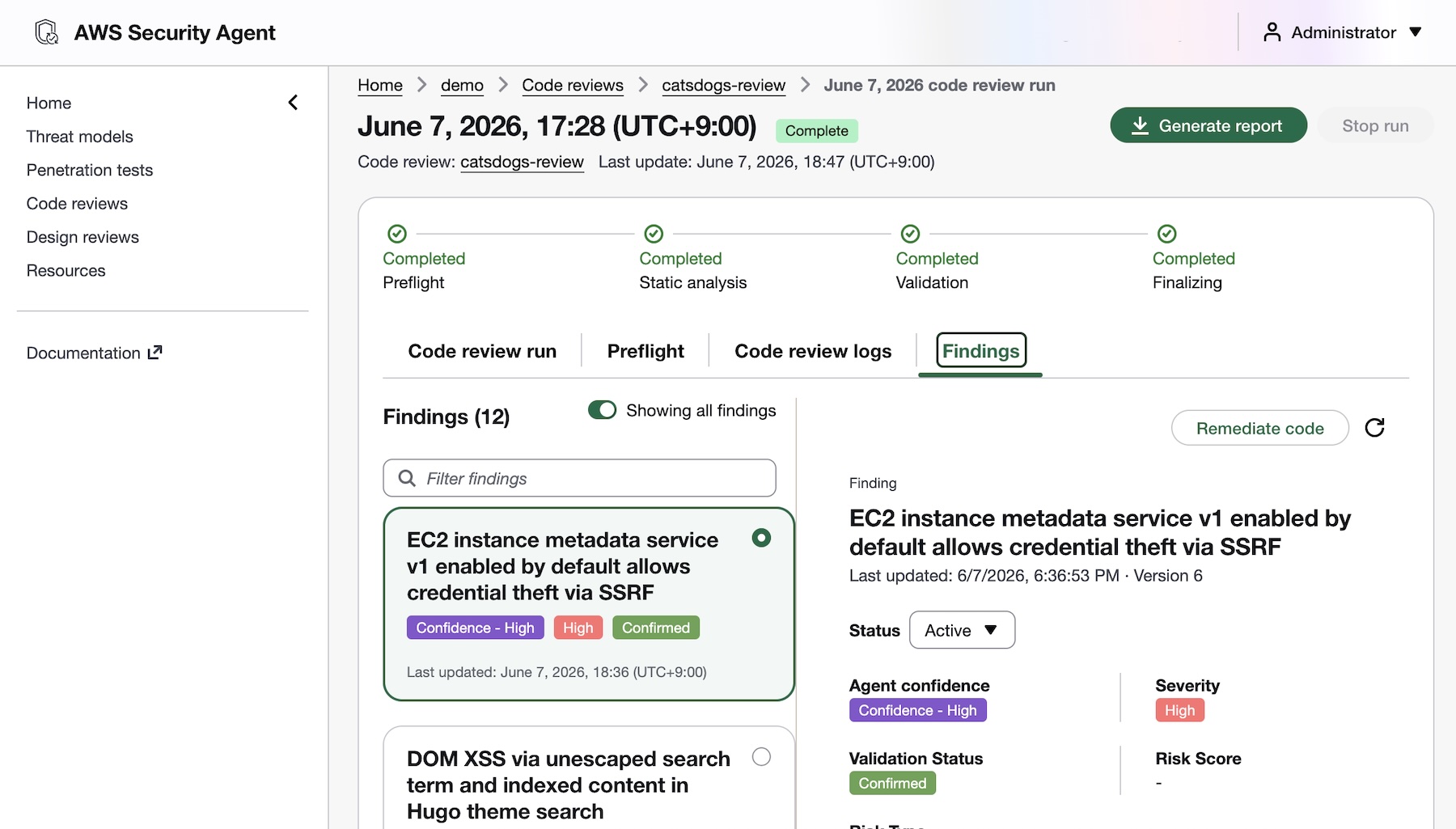
You’ll receive fix commits and remediation guidance directly in your GitHub, GitLab, or Bitbucket workflow, while your security teams configure the repositories to be monitored and intervene on critical issues. AWS Security Agent validates findings in simulated environments to demonstrate proof of exploitability. This embeds security expertise across all repositories, reducing security-related delays in the development pipeline.
To learn more about new code review features, visit Create a code review in the AWS Security Agent User Guide.
Design review updates
You can continuously validate your security requirements across every design and code review with managed compliance packs: AWS WAF, NIST CSF, PCI DSS, and AWS best practices, or import your own organizational requirements directly from internal documents or Confluence. Every finding maps back to your compliance posture, so teams stay audit-ready as they build.
To learn more, visit the design review documentation.
Threat modeling
AWS Security Agent generates threat models based on your design documentation or code repository, creates and build context about the application, including data flows, architecture, and trust boundaries. It maps out all components of your application, identifies potential threat actors and attack vectors, determines where weaknesses may exist, and prioritizes threats so you know what to address first.
To get started, choose Enable threat model and Connect source code repository in the Security Agent console.
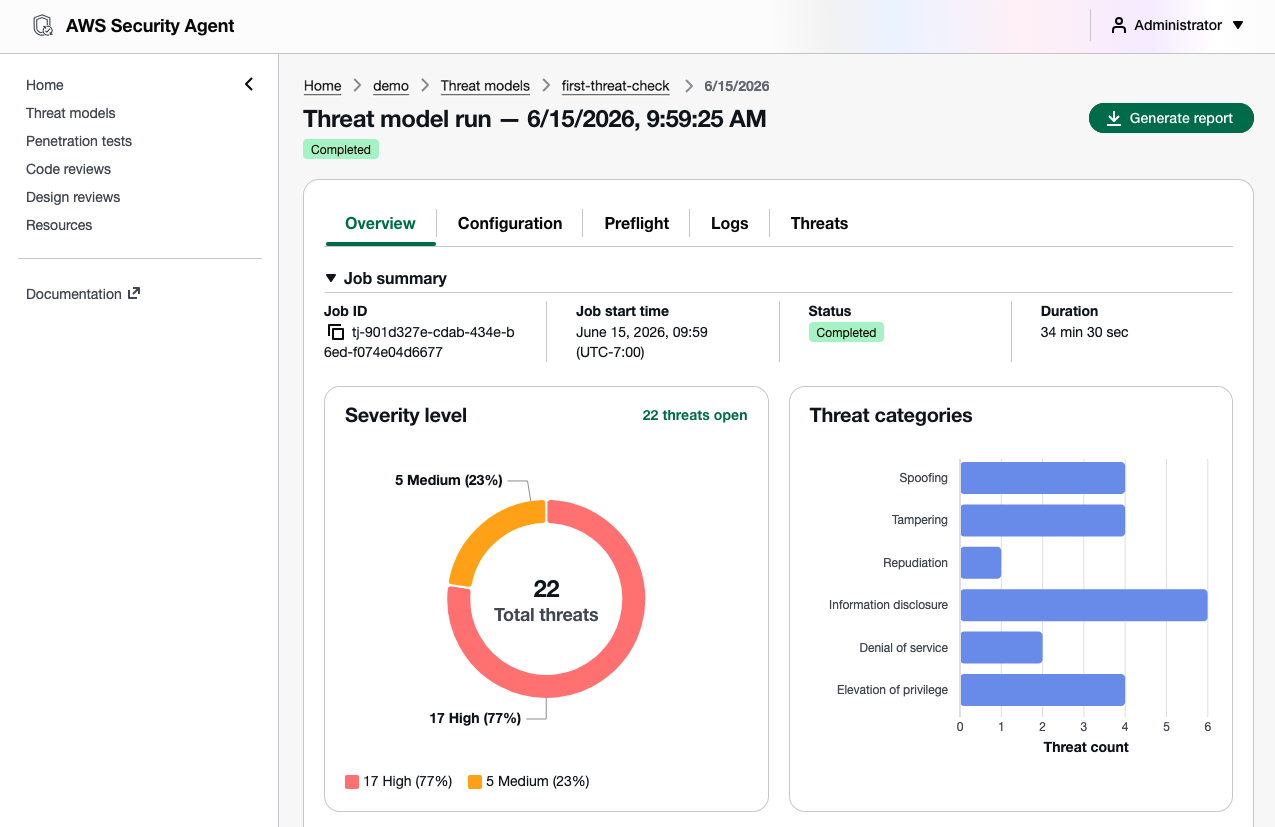
To learn more, visit the threat modeling documentation.
Kiro power and Claude Code plugin for Security Agent
AWS Security Agent introduces a new Kiro power and Claude Code plugin (coming soon) and can be integrated with any AI IDE through an open MCP integration to secure your applications. You can trigger threat models and code reviews directly from your IDE, with results surfacing inline without any context switching.
To get started, install the Kiro power, and run your prompts. The Kiro power uses the AWS Security Agent MCP server. You can get started with the power by asking “Set up AWS Security Agent“. Kiro will check if you have an Agent Space and ask if you would like to use the existing one or create a new one.
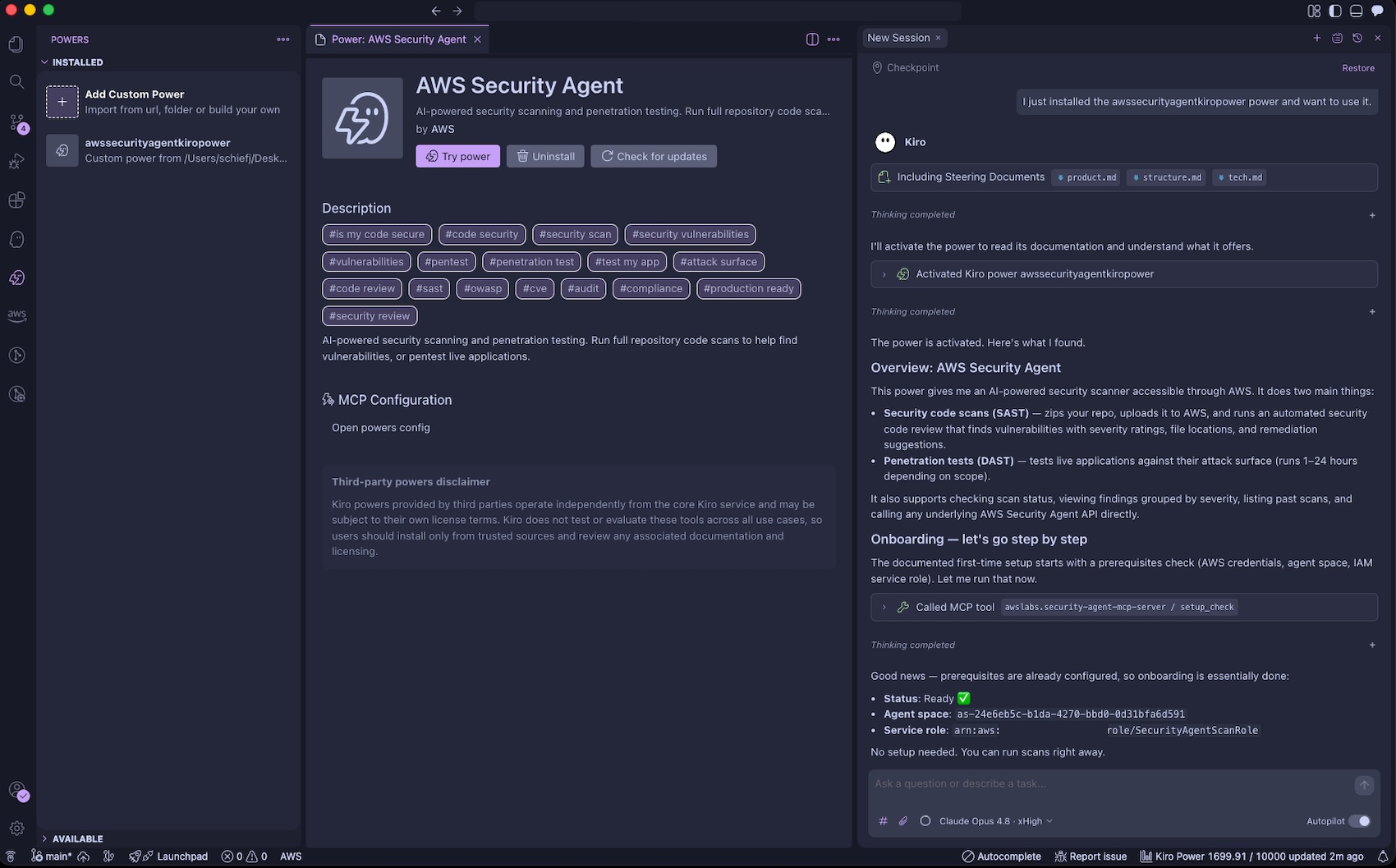
With the Kiro power for Security Agent, you can catch vulnerabilities on every pull request as you build and scan an entire repository to surface accumulated risk by asking “Run a full security scan on this repo“. The Security Agent power includes an Agent hook to evaluate if a code review diff scan should be started after the Kiro agent has completed its turn. Before deploying to production, you can run a penetration test from your CLI to find what most scanners miss. Security Agent closes the loop by validating every finding and generating ready-to-implement code fixes.
You can pull the findings back into your development environment by asking “help me remediate my findings“. The Kiro power for AWS Security Agent will download findings to your local workspace, prioritize the most critical finding, and offer to start a bugfix spec session. You can iterate on fixing the findings using their familiar IDE with their existing tooling, steering, powers, and MCP servers.
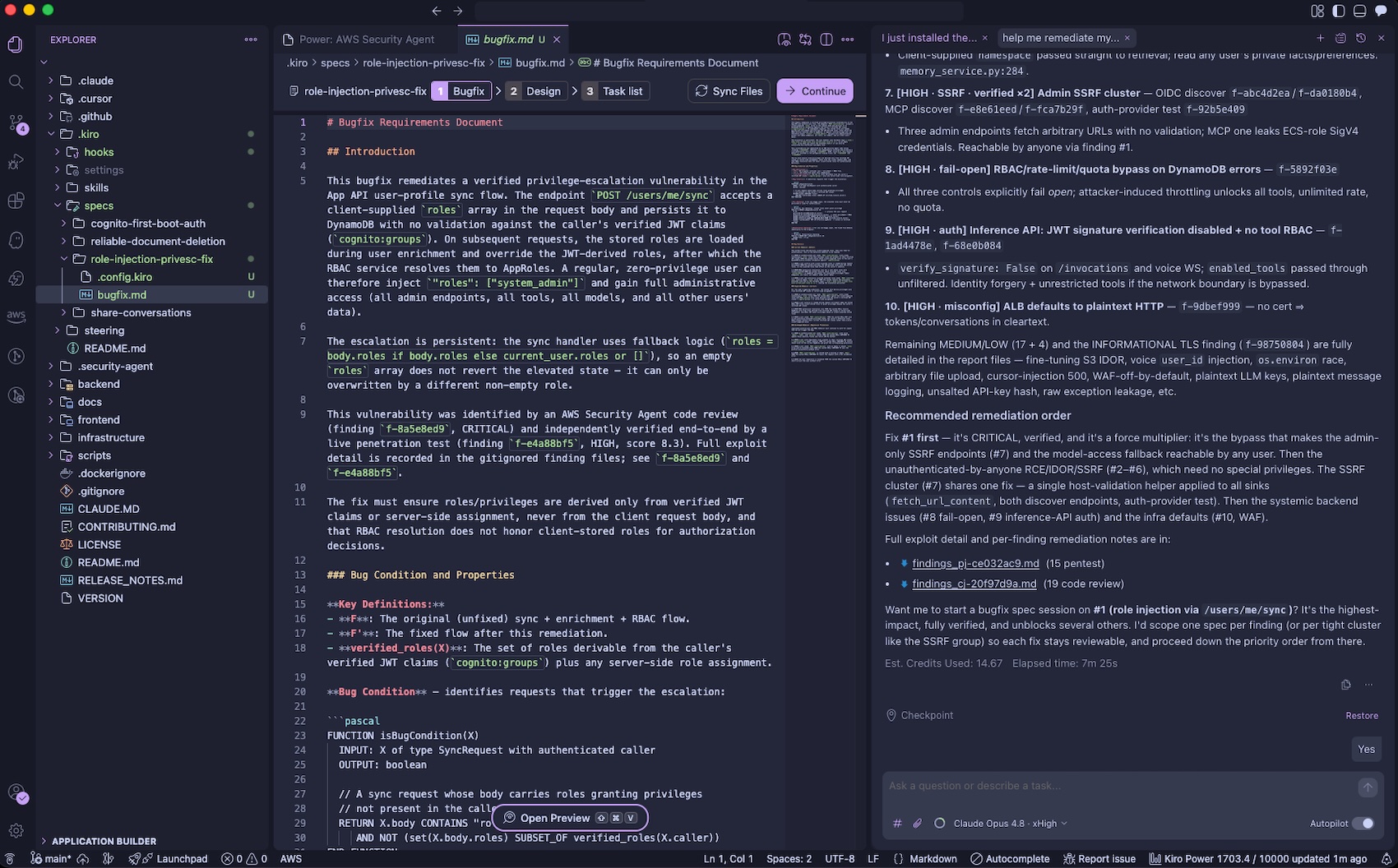
You can also run threat models through the Kiro power in the IDE by asking “Build a threat model for this application“. The generated threat model is saved to .security-agent/threat_model.md.
To learn more, visit the Kiro power for Security Agent.
Now available
AWS Security Agent understands the full security context across your software development lifecycle by covering design-time security (design reviews and threat modeling in preview), development-time security (code review in preview), and deployment-time security (penetration testing in GA), in a single, unified agentic offering. To learn more, visit the AWS Security Agent product page and the technical documentation.
These features are now available in AWS commercial Regions where AWS Security Agent is available. For Regional availability and the future roadmap, visit the AWS Capabilities by Region. For detailed pricing information and to access our 2-month free trial offer, please visit the AWS Security Agent pricing page.
Give it a try in the Security Agent console and send feedback to AWS re:Post for Security Agent or through your usual AWS Support contacts.
— Channy