Today, we’re announcing the public preview of AWS Well-Architected Agent, an AI-powered service that analyzes your AWS environment to deliver targeted, contextual recommendations for improving your applications’ cost, security, performance, and resilience. The AWS Well-Architected Agent analyzes your infrastructure, understands unique business goals, and delivers contextual recommendations with ready-to-implement fixes. It delivers context-aware optimization without relying on manual audits or generic checklists.
The agent evaluates your environment as an experienced cloud architect would. It automatically correlates utilization metrics, resource configurations, and application topology, and analyzes against Well-Architected best practices across 65+ AWS services. It generates recommendations aligned to your declared business goals, delivers implementation packages with every finding, and surfaces cross-pillar trade-offs making it simpler to remediate the findings.
Here are the three main features of this service:
- Goal-aligned intelligence: AWS Well-Architected Agent replaces flat, undifferentiated findings with context-aware, prioritized recommendations. You declare your business objectives and share your application context. The agent automatically generates and prioritizes recommendations by impact and effort against those goals.
- Three-level recommendations: AWS Well-Architected Agent provides individual resource findings with specific dollar impact (where applicable) and step-by-step remediation, consolidated findings across multiple resources scoped to your application, and broad architectural patterns and designs with Infrastructure as Code (IaC) code changes needed to align with Well-Architected best practices.
- Optionality in remediation: You can choose your path on how you want to remediate with a complete implementation steps tailored to your environment: the console walk-throughs, updated IaC changes for architecture-level recommendations, and AWS Command Line Interface (AWS CLI) commands.
AWS Well-Architected Agent in action
To get started, create an agent profile to define the scope of what Well-Architected Agent can access and provide recommendations on, complete the IAM role setup to access resources, conduct architecture review, and remediate recommendations.
Create an agent profile
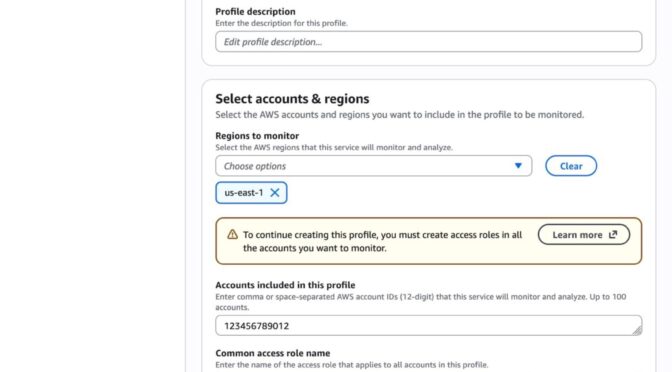
In the AWS Well-Architected console, choose Get started with Well-Architected Agent. You can define an agent profile that specifies which AWS accounts and applications to monitor, which optimization pillars to focus on, and the permissions required.
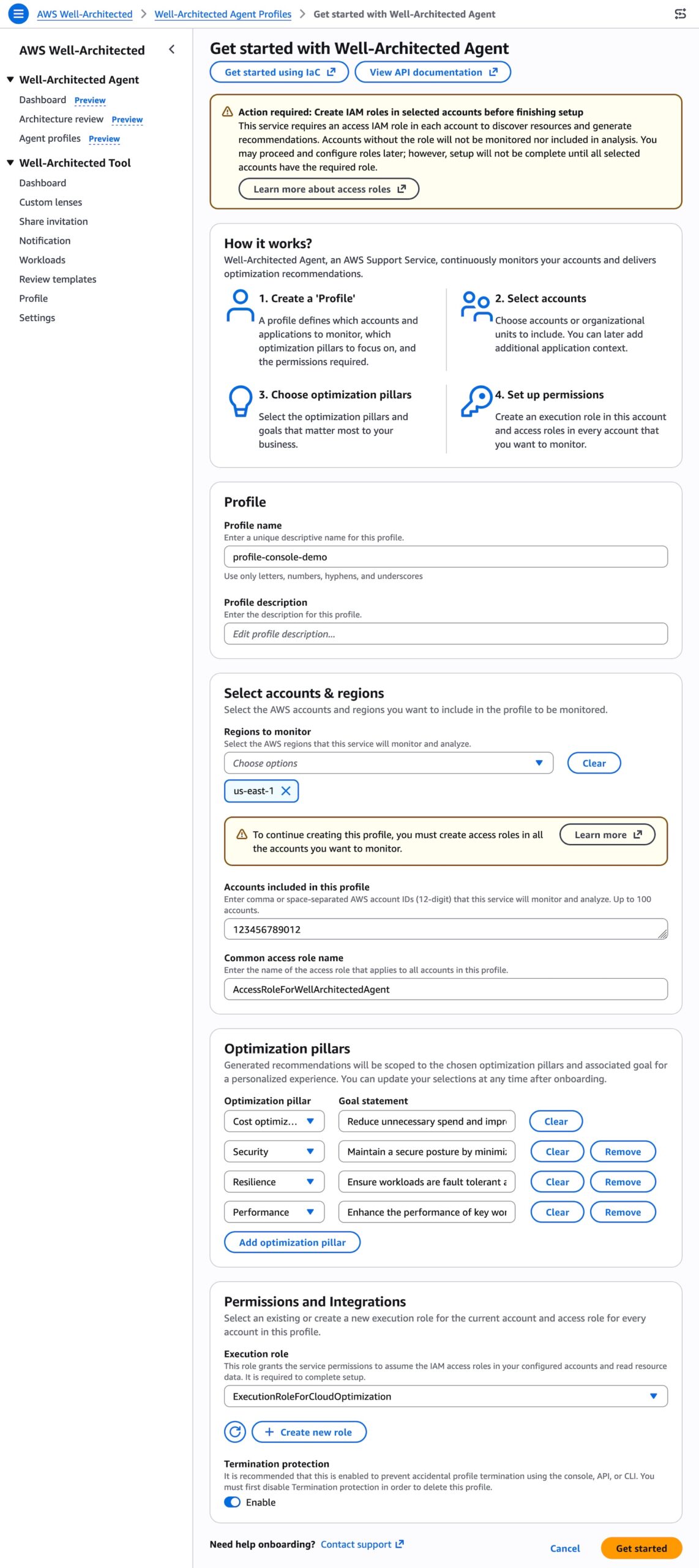
You can choose AWS accounts or AWS Regions to monitor and optimization pillars that matter most to your business. You can also set goals for each pillar: cost optimization, performance, resilience, and security.
To give access to the agent for your AWS environment, provision customer-managed IAM roles the agent uses to read resource configurations, utilization metrics, and application topology. To learn more, visit the IAM prerequisite for AWS Well-Architected Agent.
When you choose Get Started, the agent creates your agent profile. Resource and application recommendations will be generated within 24 hours after profile creation.
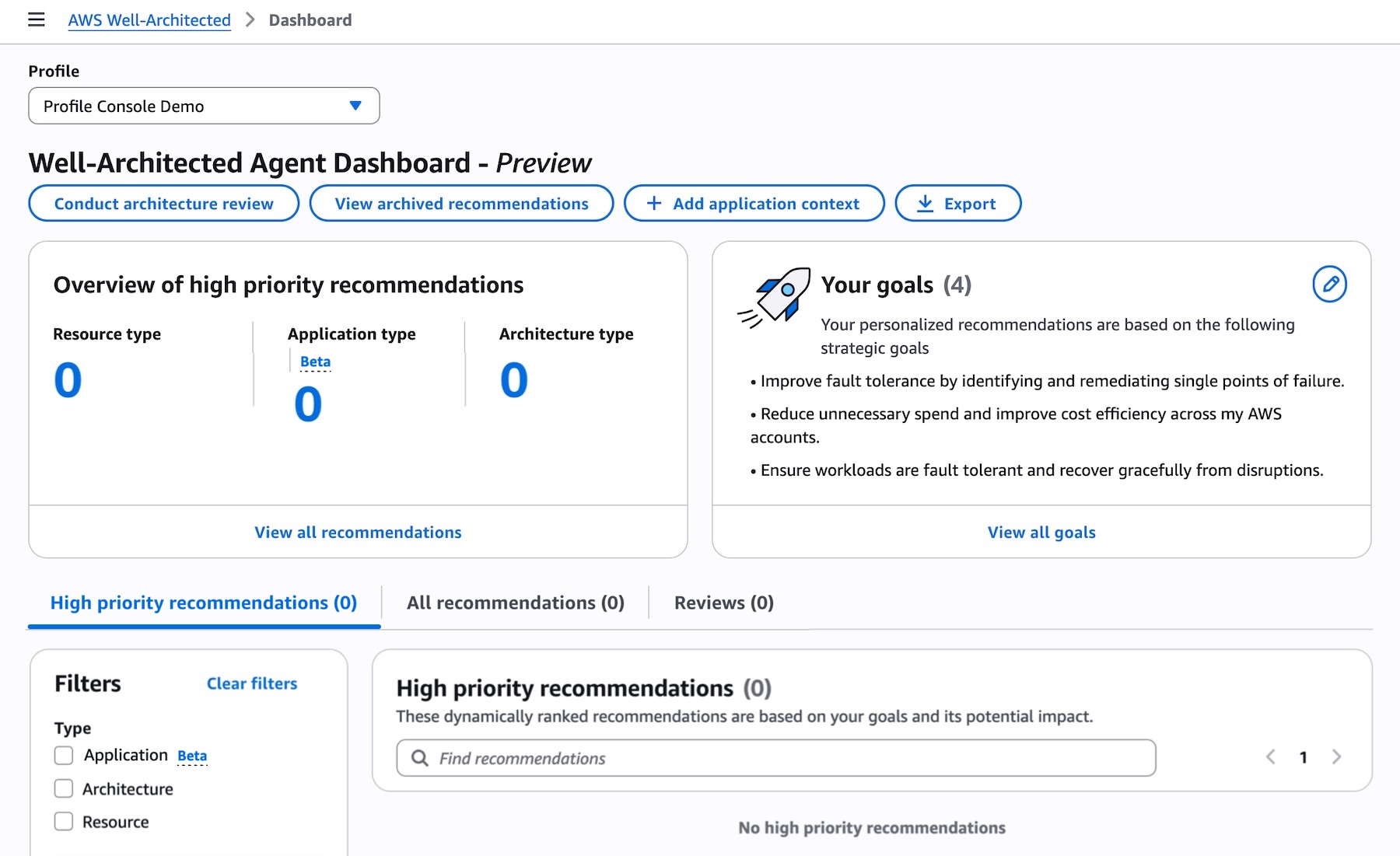
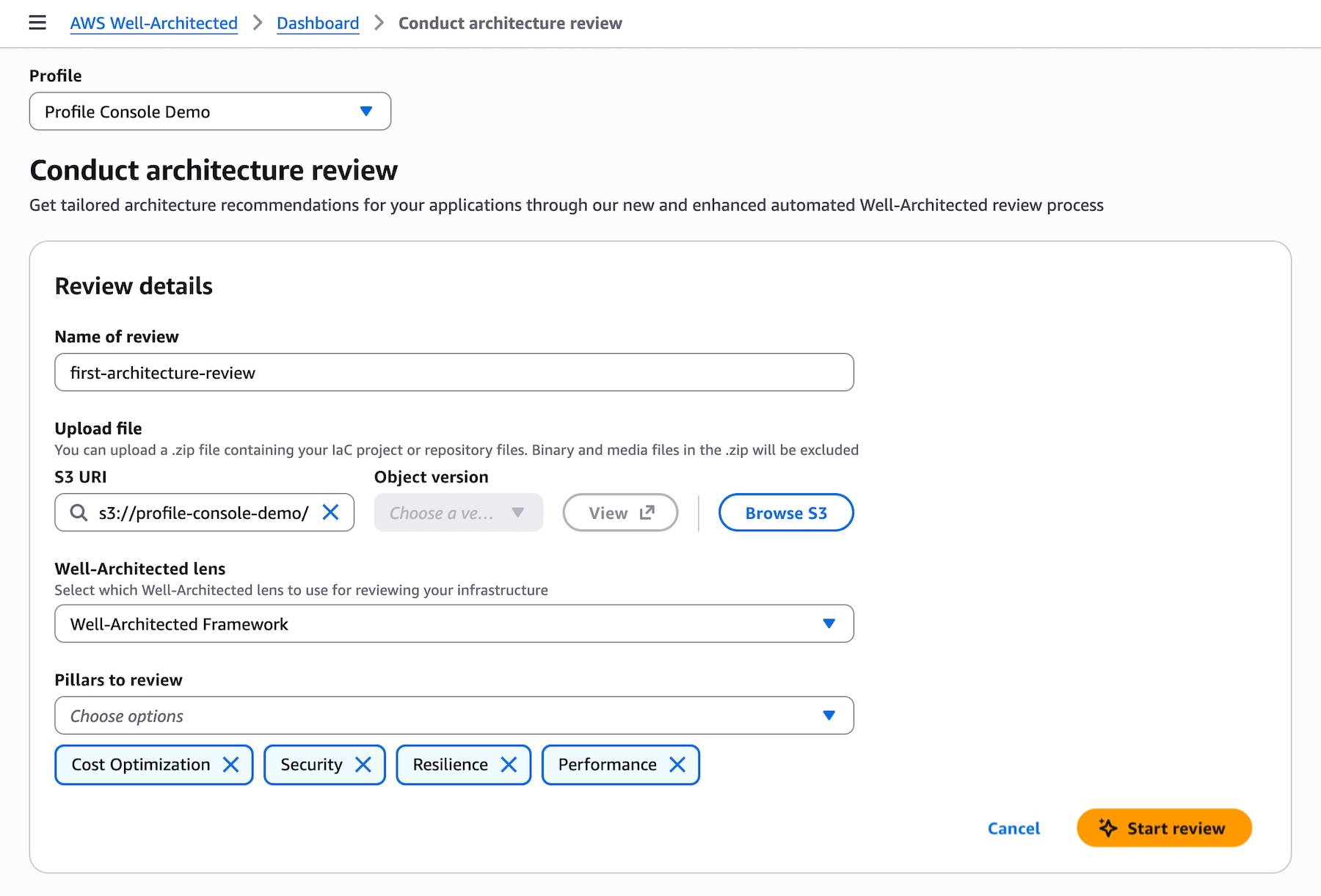
You can conduct an architecture review on pre-deployment workloads by uploading an IaC project in Terraform, AWS CloudFormation, or AWS Cloud Development Kit (CDK) to be analyzed. Choose Conduct architecture review in the dashboard, upload a.zip file containing IaC project or repository file, and select which Well-Architected lens to use for reviewing your infrastructure.
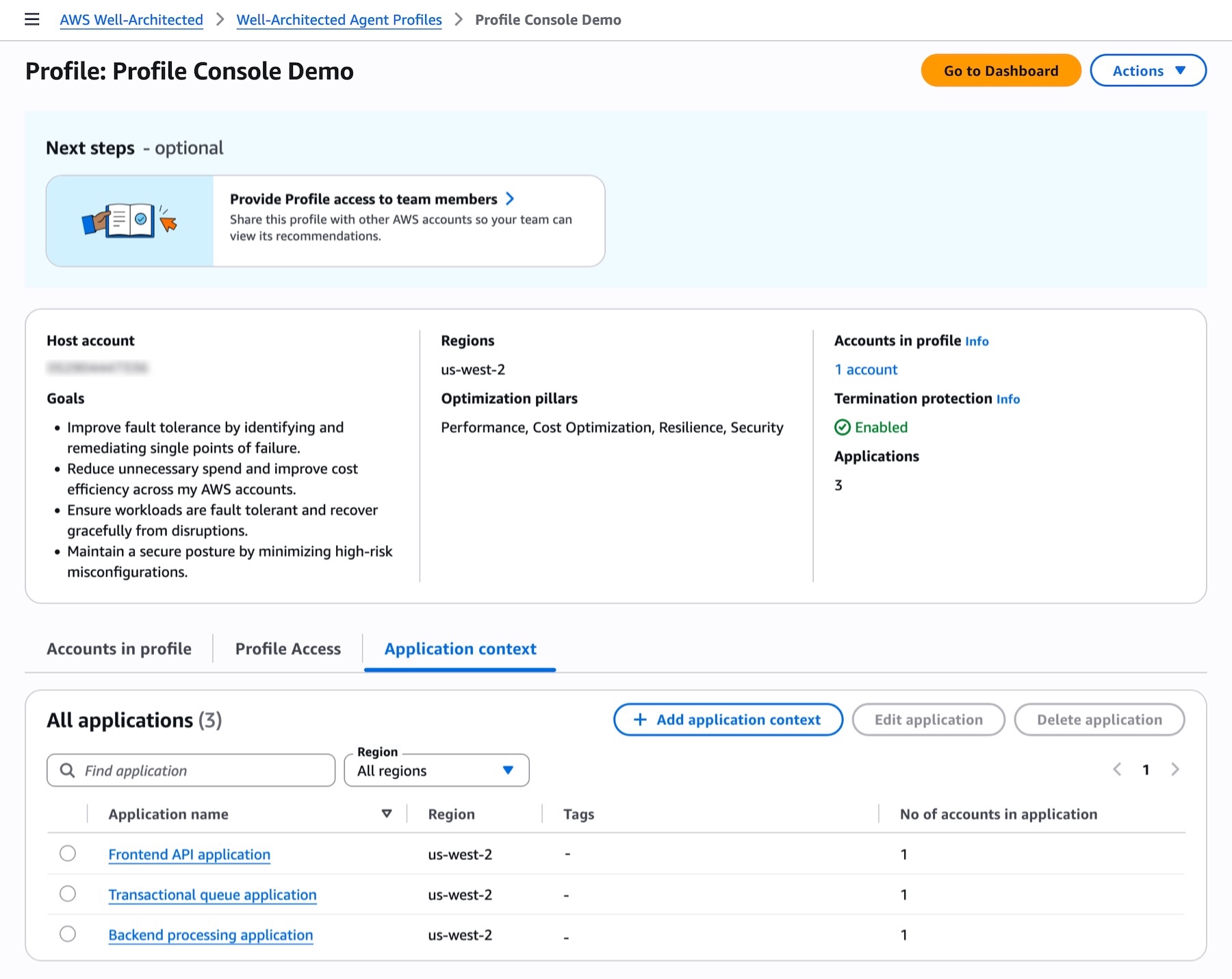
You can define your applications to add context which will enhance the relevancy and further contextualize recommendations. Choose Add application context in the dashboard, add your applications with AWS accounts, AWS Regions, AWS services, tags if you want to narrow the scope to specific resources, and the details of applications.
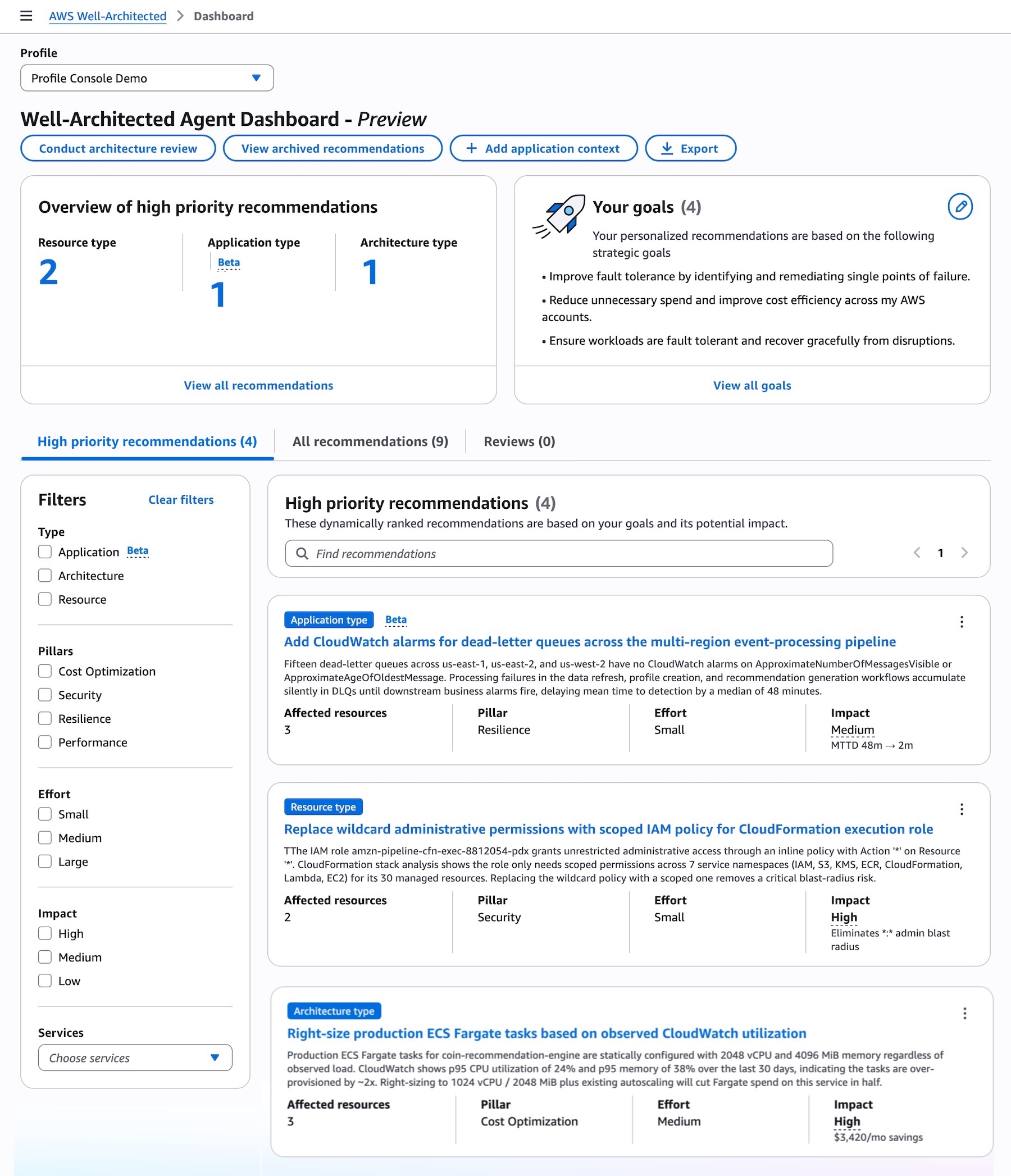
Review prioritized recommendations and start remediating
Now you can see generated prioritized recommendations generated by the agent across your resources and applications, selected pillars, ranked against your declared goals, with automation-ready remediation included.
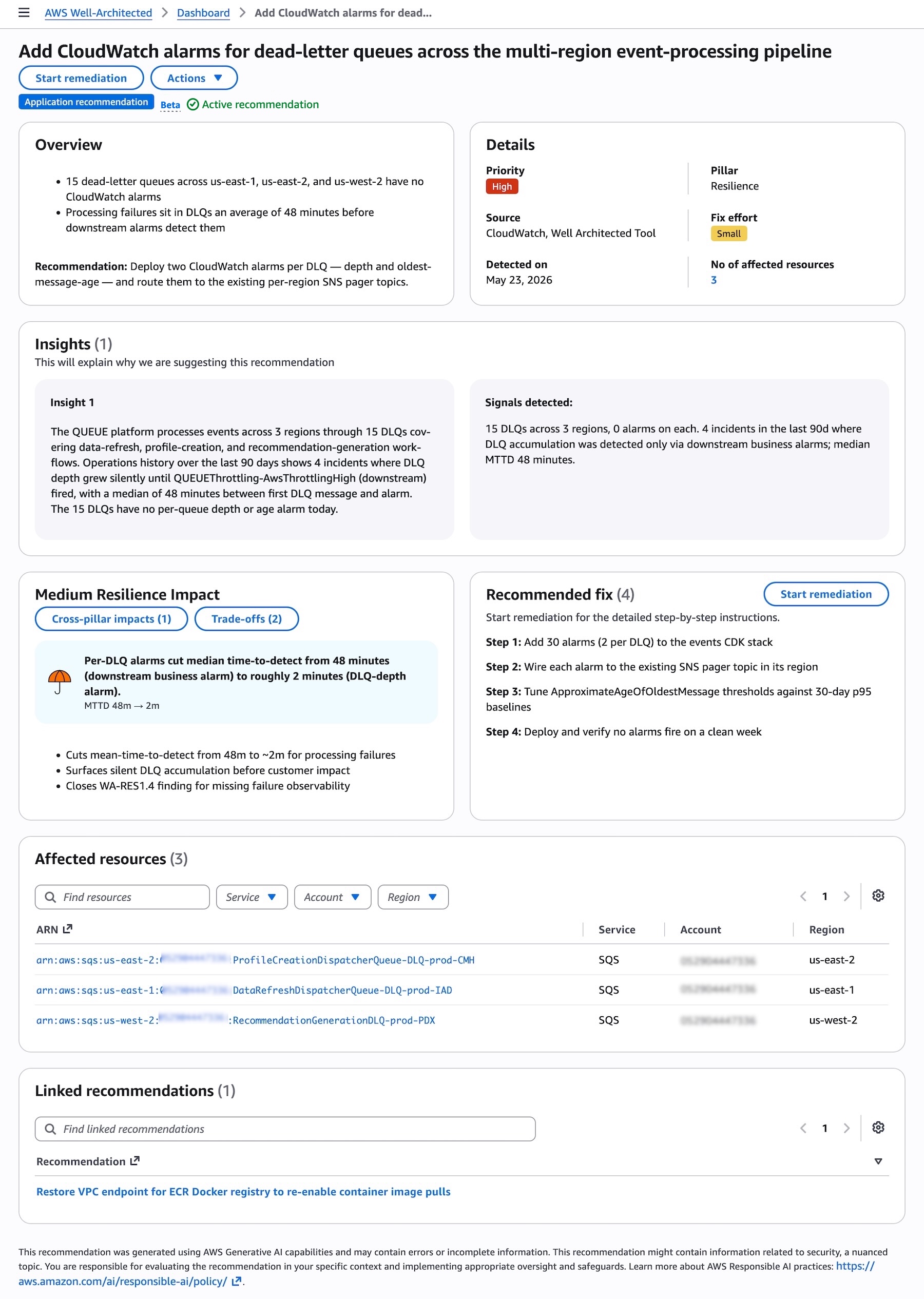
When you choose the specific recommendation, you can see the details, insights into why the agent are suggesting the recommendation, impacts and trade-off, and recommended fixes across affected AWS resources.
Choose Start remediation to address recommended fixes. You can choose the console, updated IaC template, CLI commands to remediate by the resolution type. It provides detailed step-by-step instructions and you can roll out this instruction and verify the result.
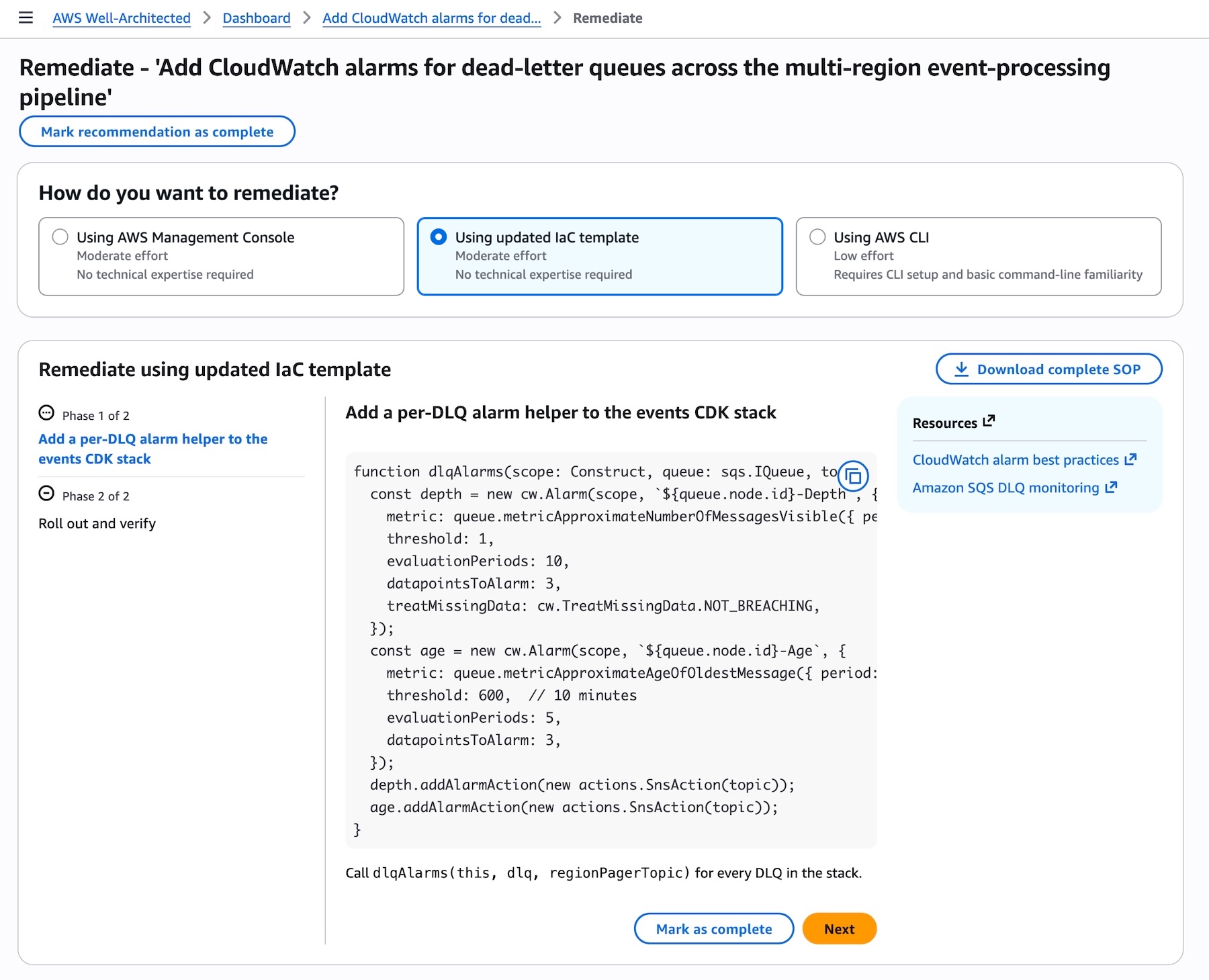
When you choose Using updated IaC template, the agent provides the code changes needed to update your existing IaC templates such as the CDK function shown above which you can copy directly into your codebase.
You can also configure API access to integrate recommendations directly into your existing development and operations workflows. To interact with the agent programmatically, including calling APIs and searching documentation, try the AWS MCP Server and plugins with your preferred AI coding tool. To learn more, visit the AWS Well-Architected Agent documentation.
Things to know
Here are some things that you should know about the Well-Architected Agent.
- Automation: You can receive recommendations with the exact IaC code changes needed to remediate, with risks identified by pillar, catching issues before they reach production. Recommendations are delivered through the console and API so you can act without context-switching. Recommendations are also updated periodically, so new recommendations are available for your team to track regularly.
- Evaluation: Generative AI capabilities produce this recommendation, which may contain errors or incomplete information. You are responsible for evaluating the recommendation in your specific context and implementing appropriate oversight and safeguards. Learn more about AWS Responsible AI practices.
You can still use existing AWS Well-Architected Tool to manually evaluate your cloud architecture with user-defined lenses that measure your workload using your own best practices.
Join the preview
Access to the AWS Well-Architected Agent and its recommendations is available in US East (N. Virginia), US East (Ohio), and US West (Oregon). You can onboard workloads from any AWS commercial Region. AWS Well-Architected Agent is delivered by AWS Support and available to AWS customers with an AWS Support plan.
Give it a try today in the AWS Well-Architected console and send feedback through your usual AWS Support contacts.
— Channy