Monitor network performance and traffic across your EKS clusters with Container Network Observability

This post was originally published on this site

Organizations are increasingly expanding their Kubernetes footprint by deploying microservices to incrementally innovate and deliver business value faster. This growth places increased reliance on the network, giving platform teams exponentially complex challenges in monitoring network performance and traffic patterns in EKS. As a result, organizations struggle to maintain operational efficiency as their container environments scale, often delaying application delivery and increasing operational costs.

Today, I’m excited to announce Container Network Observability in Amazon Elastic Kubernetes Service (Amazon EKS), a comprehensive set of network observability features in Amazon EKS that you can use to better measure your network performance in your system and dynamically visualize the landscape and behavior of network traffic in EKS.

Here’s a quick look at Container Network Observability in Amazon EKS:

Container Network Observability in EKS addresses observability challenges by providing enhanced visibility of workload traffic. It offers performance insights into network flows within the cluster and those with cluster-external destinations. This makes your EKS cluster network environment more observable while providing built-in capabilities for more precise troubleshooting and investigative efforts.

Getting started with Container Network Observability in EKS

I can enable this new feature for a new or existing EKS cluster. For a new EKS cluster, during the Configure observability setup, I navigate to the Configure network observability section. Here, I select Edit container network observability. I can see there are three included features: Service map, Flow table, and Performance metric endpoint, which are enabled by Amazon CloudWatch Network Flow Monitor.

On the next page, I need to install the AWS Network Flow Monitor Agent.

After it’s enabled, I can navigate to my EKS cluster and select Monitor cluster.

This will bring me to my cluster observability dashboard. Then, I select the Network tab.


Comprehensive observability features
Container Network Observability in EKS provides several key features, including performance metrics, service map, and flow table with three views: AWS service view, cluster view, and external view.

With Performance metrics, you can now scrape network-related system metrics for pods and worker nodes directly from the Network Flow Monitor agent and send them to your preferred monitoring destination. Available metrics include ingress/egress flow counts, packet counts, bytes transferred, and various allowance exceeded counters for bandwidth, packets per second, and connection tracking limits. The following screenshot shows an example of how you can use Amazon Managed Grafana to visualize the performance metrics scraped using Prometheus.


With the Service map feature, you can dynamically visualize intercommunication between workloads in your cluster, making it straightforward to understand your application topology with a quick look. The service map helps you quickly identify performance issues by highlighting key metrics such as retransmissions, retransmission timeouts, and data transferred for network flows between communicating pods.

Let me show you how this works with a sample e-commerce application. The service map provides both high-level and detailed views of your microservices architecture. In this e-commerce example, we can see three core microservices working together: the GraphQL service acts as an API gateway, orchestrating requests between the frontend and backend services.

When a customer browses products or places an order, the GraphQL service coordinates communication with both the products service (for catalog data, pricing, and inventory) and the orders service (for order processing and management). This architecture allows each service to scale independently while maintaining clear separation of concerns.

For deeper troubleshooting, you can expand the view to see individual pod instances and their communication patterns. The detailed view reveals the complexity of microservices communication. Here, you can see multiple pod instances for each service and the network of connections between them.

This granular visibility is crucial for identifying issues like uneven load distribution, pod-to-pod communication bottlenecks, or when specific pod instances are experiencing higher latency. For example, if one GraphQL pod is making disproportionately more calls to a particular products pod, you can quickly spot this pattern and investigate potential causes.

Use the Flow table to monitor the top talkers across Kubernetes workloads in your cluster from three different perspectives, each providing unique insights into your network traffic patterns.

Flow table – Monitor the top talkers across Kubernetes workloads in your cluster from three different perspectives, each providing unique insights into your network traffic patterns:

  • AWS service view shows which workloads generate the most traffic to Amazon Web Services (AWS) services such as Amazon DynamoDB and Amazon Simple Storage Service (Amazon S3), so you can optimize data access patterns and identify potential cost optimization opportunities.
  • The Cluster view reveals the heaviest communicators within your cluster (east-west traffic), which means you can spot chatty microservices that might benefit from optimization or colocation strategies
  • External viewidentifies workloads with the highest traffic to destinations outside AWS (internet or on premises), which is useful for security monitoring and bandwidth management.

The flow table provides detailed metrics and filtering capabilities to analyze network traffic patterns. In this example, we can see the flow table displaying cluster view traffic between our e-commerce services. The table shows that the orders pod is communicating with multiple products pods, transferring amounts of data. This pattern suggests the orders service is making frequent product lookups during order processing.

The filtering capabilities are useful for troubleshooting, for example, to focus on traffic from a specific orders pod. This granular filtering helps you quickly isolate communication patterns when investigating performance issues. For instance, if customers are experiencing slow checkout times, you can filter to see if the orders service is making too many calls to the products service, or if there are network bottlenecks between specific pod instances.

Additional things to know
Here are key points to note about Container Network Observability in EKS:

  • Pricing – For network monitoring, you pay standard Amazon CloudWatch Network Flow Monitor pricing.
  • Availability – Container Network Observability in EKS is available in all commercial AWS regions where Amazon CloudWatch Network Flow Monitor is available.
  • Export metrics to your preferred monitoring solution – Metrics are available in OpenMetrics format, compatible with Prometheus and Grafana. For configuration details, refer to Network Flow Monitor documentation.

Get started with Container Network Observability in Amazon EKS today to improve network observability in your cluster.

Happy building!
Donnie

Unicode: It is more than funny domain names., (Wed, Nov 12th)

This post was originally published on this site

When people discuss the security implications of Unicode, International Domain Names (IDNs) are often highlighted as a risk. However, while visible and often talked about, IDNs are probably not what you should really worry about when it comes to Unicode. There are several issues that impact application security beyond confusing domain names.

New Amazon Bedrock service tiers help you match AI workload performance with cost

This post was originally published on this site

Today, Amazon Bedrock introduces new service tiers that give you more control over your AI workload costs while maintaining the performance levels your applications need.

I’m working with customers building AI applications. I’ve seen firsthand how different workloads require different performance and cost trade-offs. Many organizations running AI workloads face challenges balancing performance requirements with cost optimization. Some applications need rapid response times for real-time interactions, whereas others can process data more gradually. With these challenges in mind, today we’re announcing additional options pricing that give you more flexibility in matching your workload requirements with cost optimization.

Amazon Bedrock now offers three service tiers for workloads: Priority, Standard, and Flex. Each tier is designed to match specific workload requirements. Applications have varying response time requirements based on the use case. Some applications—such as financial trading systems—demand the fastest response times, others need rapid response times to support business processes like content generation, and applications such as content summarization can process data more gradually.

The Priority tier processes your requests ahead of other tiers, providing preferential compute allocation for mission-critical applications like customer-facing chat-based assistants and real-time language translation services, though at a premium price point. The Standard tier provides consistent performance at regular rates for everyday AI tasks, ideal for content generation, text analysis, and routine document processing. For workloads that can handle longer latency, the Flex tier offers a more cost-effective option with lower pricing, which is well suited for model evaluations, content summarization, and multistep analysis and agentic workflows.

You can now optimize your spending by matching each workload to the most appropriate tier. For example, if you’re running a customer service chat-based assistant that needs quick responses, you can use the Priority tier to get the fastest processing times. For content summarization tasks that can tolerate longer processing times, you can use the Flex tier to reduce costs while maintaining reliable performance. For most models that support Priority Tier, customers can realize up to 25% better output tokens per second (OTPS) latency compared to standard tier.

Check the Amazon Bedrock documentation for an up-to-date list of models supported for each service tier.

Choosing the right tier for your workload

Here is a mental model to help you choose the right tier for your workload.

Category Recommended service tier Description
Mission-critical Priority Requests are handled ahead of other tiers. Lower latency responses for user-facing apps (for example, customer service chat assistants, real-time language translation, interactive AI assistants)
Business-standard Standard Responsive performance for important workloads (for example, content generation, text analysis, routine document processing)
Business-noncritical Flex Cost-efficient for less urgent workloads (for example, model evaluations, content summarization, multistep agentic workflows)

Start by reviewing with application owners your current usage patterns. Next, identify which workloads need immediate responses and which ones can process data more gradually. You can then begin routing a small portion of your traffic through different tiers to test performance and cost benefits.

The AWS Pricing Calculator helps you estimate costs for different service tiers by entering your expected workload for each tier. You can estimate your budget based on your specific usage patterns.

To monitor your usage and costs, you can use the AWS Service Quotas console or turn on model invocation logging in Amazon Bedrock and observe the metrics with Amazon CloudWatch. These tools provide visibility into your token usage and help you track performance across different tiers.

Amazon Bedrock invocations observability

You can start using the new service tiers today. You choose the tier on a per-API call basis. Here is an example using the ChatCompletions OpenAI API, but you can pass the same service_tier parameter in the body of InvokeModel, InvokeModelWithResponseStream, Converse, andConverseStream APIs (for supported models):

from openai import OpenAI

client = OpenAI(
    base_url="https://bedrock-runtime.us-west-2.amazonaws.com/openai/v1",
    api_key="$AWS_BEARER_TOKEN_BEDROCK" # Replace with actual API key
)

completion = client.chat.completions.create(
    model= "openai.gpt-oss-20b-1:0",
    messages=[
        {
            "role": "developer",
            "content": "You are a helpful assistant."
        },
        {
            "role": "user",
            "content": "Hello!"
        }
    ]
    service_tier= "priority"  # options: "priority | default | flex"
)

print(completion.choices[0].message)

To learn more, check out the Amazon Bedrock User Guide or contact your AWS account team for detailed planning assistance.

I’m looking forward to hearing how you use these new pricing options to optimize your AI workloads. Share your experience with me online on social networks or connect with me at AWS events.

— seb

Accelerate large-scale AI applications with the new Amazon EC2 P6-B300 instances

This post was originally published on this site

Today, we’re announcing the general availability of Amazon Elastic Compute Cloud (Amazon EC2) P6-B300 instances, our next-generation GPU platform accelerated by NVIDIA Blackwell Ultra GPUs. These instances deliver 2 times more networking bandwidth, and 1.5 times more GPU memory compared to previous generation instances, creating a balanced platform for large-scale AI applications.

With these improvements, P6-B300 instances are ideal for training and serving large-scale AI models, particularly those employing sophisticated techniques such as Mixture of Experts (MoE) and multimodal processing. For organizations working with trillion-parameter models and requiring distributed training across thousands of GPUs, these instances provide the perfect balance of compute, memory, and networking capabilities.

Improvements made compared to predecessors
The P6-B300 instances deliver 6.4Tbps Elastic Fabric Adapter (EFA) networking bandwidth, supporting efficient communication across large GPU clusters. These instances feature 2.1TB of GPU memory, allowing large models to reside within a single NVLink domain, which significantly reduces model sharding and communication overhead. When combined with EFA networking and the advanced virtualization and security capabilities of AWS Nitro System, these instances provide unprecedented speed, scale, and security for AI workloads.

The specs for the EC2 P6-B300 instances are as follows.

Instance size VCPUs System memory GPUs GPU memory GPU-GPU interconnect EFA network bandwidth ENA bandwidth EBS bandwidth Local storage
P6-B300.48xlarge 192 4TB 8x B300 GPU 2144GB HBM3e 1800 GB/s 6.4 Tbps 300 Gbps 100 Gbps 8x 3.84TB

Good to know
In terms of persistent storage, AI workloads primarily use a combination of high performance persistent storage options such as Amazon FSx for Lustre, Amazon S3 Express One Zone, and Amazon Elastic Block Store (Amazon EBS), depending on price performance considerations. For illustration, the dedicated 300Gbps Elastic Network Adapter (ENA) networking on P6-B300 enables high-throughput hot storage access with S3 Express One Zone, supporting large-scale training workloads. If you’re using FSx for Lustre, you can now use EFA with GPUDirect Storage (GDS) to achieve up to 1.2Tbps of throughput to the Lustre file system on the P6-B300 instances to quickly load your models.

Available now
The P6-B300 instances are now available through Amazon EC2 Capacity Blocks for ML and Savings Planin the US West (Oregon) AWS Region.
For on-demand reservation of P6-B300 instances, please reach out to your account manager. As usual with Amazon EC2, you pay only for what you use. For more information, refer to Amazon EC2 Pricing. Check out the full collection of accelerated computing instances to help you start migrating your applications.

To learn more, visit our Amazon EC2 P6-B300 instances page. Send feedback to AWS re:Post for EC2 or through your usual AWS Support contacts.

– Veliswa

KongTuke activity, (Tue, Nov 18th)

This post was originally published on this site

Introduction

Today's diary is an example of KongTuke activity using fake CAPTCHA pages for a ClickFix-style lure.

Also known as LandUpdate808 or TAG-124 and described as a sophisticated TDS system, KongTuke has been active since at least May 2024.  I keep track of this campaign through the infosec.exchange Mastodon instance, which is mostly information from the @monitorsg profile.

With URLscan, I can pivot on the information from Mastodon to find compromised sites and generate infection traffic in my lab.

On Monday, 2025-11-17, I found an example of a legitimate website with a KongTuke-injected script, and I generated some infection traffic.

Details

The image below shows an example of the fake CAPTCHA page and ClickFix style instructions.


Shown above: Fake CAPTCHA page from a legitimate site with KongTuke-injected script, with the ClickFix style instructions and malicious command.

The CAPTCHA page hijacks the clipboard, injecting text for a malicious command to download and run PowerShell script. Potential victims would read the instructions and paste this command into Run window.

I tried this on a vulnerable Windows client in an Active Directory (AD) environment, and it ran PowerShell script that retrieved a zip archive containing a malicious Python script, as well as the Windows Python environment to run it.

The malicious Python script generated HTTPS traffic to telegra[.]ph, but I was unable to determine the URL or content of the traffic.


Shown above: Traffic from the infection, filtered in Wireshark.


Shown above: Initial PowerShell script retrieved by the ClickFix command that was pasted into the Run window.


Shown above: Final HTTP request from the initial infection traffic returned a zip archive containing a Python environment and a malicious Python script.

Post-Infection Forensics

The malicious Python package was saved to the Windows client under the user account's AppDataRoaming directory under a folder named DATA. A scheduled task kept the infection persistent.


Shown above: The malicious Python script, made persistent on the infected Windows client through a scheduled task.

Indicators from the infection

The following URLs were generated during the initial infection traffic:

  • hxxp[:]//64.111.92[.]212:6655/ab
  • hxxp[:]//64.111.92[.]212:6655/se
  • hxxp[:]//64.111.92[.]212:6655/node
  • hxxp[:]//64.111.92[.]212:6655/nada000

For post-infection traffic, telegra[.]ph is a publishing tool that allows people to create and share simple web pages. I don't know the specific URL used for this infection, and the domain itself is not malicious.

The following is the zip archive containing the Windows Python environment and the malicious Python script.

Final Words

I'm not sure what the script from this malicious Python package actually does.  If anyone knows what this is, feel free to leave a comment.


Bradley Duncan
brad [at] malware-traffic-analysis.net

(c) SANS Internet Storm Center. https://isc.sans.edu Creative Commons Attribution-Noncommercial 3.0 United States License.


AWS Weekly Roundup: AWS Lambda, load balancers, Amazon DCV, Amazon Linux 2023, and more (November 17, 2025)

This post was originally published on this site

The weeks before AWS re:Invent, my team is full steam ahead preparing content for the conference. I can’t wait to meet you at one of my three talks: CMP346 : Supercharge AI/ML on Apple Silicon with EC2 Mac, CMP344: Speed up Apple application builds with CI/CD on EC2 Mac, and DEV416: Develop your AI Agents and MCP Tools in Swift.

Last week, AWS announced three new AWS Heroes. The AWS Heroes program recognizes a vibrant, worldwide group of AWS experts whose enthusiasm for knowledge-sharing has a real impact within the community. Welcome to the community, Dimple, Rola, and Vivek.

We also opened the GenAI Loft in Tel Aviv, Israel. AWS Gen AI Lofts are collaborative spaces and immersive experiences for startups and developers. The Loft content is tailored to address local customer needs – from startups and enterprises to public sector organizations, bringing together developers, investors, and industry experts under one roof.

GenAI Loft - TLV

The loft is open in Tel Aviv until Wednesday, November 19. If you’re in the area, check the list of sessions, workshops, and hackathons today.

If you are a serverless developer, last week was really rich with news. Let’s start with these.

Last week’s launches
Here are the launches that got my attention this week:

Additional updates
Here are some additional projects, blog posts, and news items that I found interesting:

  • Amazon Elastic Kubernetes Service gets independent affirmation of its zero operator access design – Amazon EKS offers a zero operator access posture. AWS personnel cannot access your content. This is achieved through a combination of AWS Nitro System-based instances, restricted administrative APIs, and end-to-end encryption. An independent review by NCC Group confirmed the effectiveness of these security measures.
  • Make your web apps hands-free with Amazon Nova Sonic – Amazon Nova Sonic, a foundation model from AAmazon Bedrock, provides you with the ability to create natural, low-latency, bidirectional speech conversations for applications. This provides users with the ability to collaborate with applications through voice and embedded intelligence, unlocking new interaction patterns and enhancing usability. This blog post demonstrates a reference app, Smart Todo App. It shows how voice can be integrated to provide a hands-free experience for task management.
  • AWS X-Ray SDKs & Daemon migration to OpenTelemetry – AWS X-Ray is transitioning to OpenTelemetry as its primary instrumentation standard for application tracing. OpenTelemetry-based instrumentation solutions are recommended for producing traces from applications and sending them to AWS X-Ray. X-Ray’s existing console experience and functionality continue to be fully supported and remains unchanged by this transition.
  • Powering the world’s largest events: How Amazon CloudFront delivers at scale – Amazon CloudFront achieved a record-breaking peak of 268 terabits per second on November 1, 2025, during major game delivery workloads—enough bandwidth to simultaneously stream live sports in HD to approximately 45 million concurrent viewers. This milestone demonstrates the CloudFront massive scale, powered by 750+ edge locations across 440+ cities globally and 1,140+ embedded PoPs within 100+ ISPs, with the latest generation delivering 3x the performance of previous versions.

Upcoming AWS events
Check your calendars so that you can sign up for these upcoming events:

Join the AWS Builder Center to learn, build, and connect with builders in the AWS community. Browse here for upcoming in-person events, developer-focused events, and events for startups.

That’s all for this week. Check back next Monday for another Weekly Roundup!

— seb

This post is part of our Weekly Roundup series. Check back each week for a quick roundup of interesting news and announcements from AWS!

AWS Lambda enhances event processing with provisioned mode for SQS event-source mapping

This post was originally published on this site

Today, we’re announcing the general availability of provisioned mode for AWS Lambda with Amazon Simple Queue Service (Amazon SQS) Event Source Mapping (ESM), a new feature that customers can use to optimize the throughput of their event-driven applications by configuring dedicated polling resources. Using this new capability, which provides 3x faster scaling, and 16x higher concurrency, you can process events with lower latency, handle sudden traffic spikes more effectively, and maintain precise control over your event processing resources.

Modern applications increasingly rely on event-driven architectures where services communicate through events and messages. Amazon SQS is commonly used as an event source for Lambda functions, so developers can build loosely coupled, scalable applications. Although the SQS ESM automatically handles queue polling and function invocation, customers with stringent performance requirements have asked for more control over the polling behavior to handle spiky traffic patterns and maintain low processing latency.

Provisioned mode for SQS ESM addresses these needs by introducing event pollers, which are dedicated resources that remain ready to handle expected traffic patterns. These event pollers can auto scale up to 1000 per concurrent executions per minute, more than three times faster than before to handle sudden spikes in event traffic and provide up to 20,000 concurrency–16 times higher capacity to process millions of events with Lambda functions. This enhanced scaling behavior helps customers maintain predictable low latency even during traffic surges.

Enterprises across various industries, from financial services to gaming companies, are using AWS Lambda with Amazon SQS to process real-time events for their mission-critical applications. These organizations, which include some of the largest online gaming platforms and financial institutions, require consistent subsecond processing times for their event-driven workloads, particularly during periods of peak usage. Provisioned mode for SQS ESM is a capability you can use to meet your stringent performance requirements while maintaining cost controls.

Enhanced control and performance

With provisioned mode, you can configure both minimum and maximum numbers of event pollers for your SQS ESM. Each event poller represents a unit of compute that handles queue polling, event batching, and filtering before invoking Lambda functions. Each event poller can handle up to 1 MB/sec of throughput, up to 10 concurrent invokes, or up to 10 SQS polling API calls per second. By setting a minimum number of event pollers, you enable your application to maintain a baseline processing capacity that can immediately handle sudden traffic increases. We recommend that you set the minimum event pollers required to handle your known peak workload requirements. The optional maximum setting helps prevent overloading downstream systems by limiting the total processing throughput.

The new mode delivers significant improvements in how your event-driven applications handle varying workloads. When traffic increases, your ESM detects the growing backlog within seconds and dynamically scales event pollers between your configured minimum and maximum values three times faster than before. This enhanced scaling capability is complemented by a substantial increase in processing capacity, with support for up to 2 GBps of aggregate traffic, and up to 20K concurrent requests—16x higher than previously possible. By maintaining a minimum number of ready-to-use event pollers, your application achieves predictable performance, handling sudden traffic spikes without the delay typically associated with scaling up resources. During low traffic periods, your ESM automatically scales down to your configured minimum number of event pollers, which means you can optimize costs while maintaining responsiveness.

Let’s try it out

Enabling provisioned mode is straightforward in the AWS Management Console. You need to already have an SQS queue configured and a Lambda function. To get started, in the Configuration tab for your Lambda function, choose Triggers, then Add trigger. This will bring up a user interface where you can configure your trigger. Choose SQS from the dropdown menu for source and then select the SQS queue you want to use.

Under Event poller configuration, you will now see a new option called Provisioned mode. Select Configure to reveal settings for Minimum event pollers and Maximum event pollers, each with defaults and minimum and maximum values displayed.

Configuration panel for SQS provisioned Mode

After you have configured Provisioned mode, you can save your trigger. If you need to make changes later, you can find the current configuration under the Triggers tab in the AWS Lambda configuration section, and you can modify your current settings there.

SQS Provisioned Poller confiig

Monitoring and observability

You can monitor your provisioned mode usage through Amazon CloudWatch metrics. The ProvisionedPollers metric shows the number of active event pollers processing events in one-minute windows.

Now available

Provisioned mode for Lambda SQS ESM is available today in all commercial AWS Regions. You can start using this feature through the AWS Management Console, AWS Command Line Interface (AWS CLI), or AWS SDKs. Pricing is based on the number of event pollers provisioned and the duration they’re provisioned for, measured in Event Poller Units (EPUs). Each EPU supports up to 1 MB per second throughput capacity per event poller, with minimum 2 event pollers per ESM. See the AWS pricing page for more information on EPU charges.

To learn more about provisioned mode for SQS ESM, visit the AWS Lambda documentation. Start building more responsive event-driven applications today with enhanced control over your event processing resources.

Microsoft Office Russian Dolls, (Fri, Nov 14th)

This post was originally published on this site

You probably know what are the Russian or Matryoshka dolls. It's a set of wooden dolls of decreasing size placed one inside another[1]. I found an interesting Microsoft Office document that behaves like this. There was a big decrease in malicious Office documents due to the new Microsoft rules to prevent automatic VBA macros execution. But they remain used, especially RTF documents that exploits the good %%cve:2017-11882%%.

The document (SHA256:8437cf40bdd8b005b239c163e774ec7178195f0b80c75e8d27a773831479f68f) that I found uses another technique to prevent the RTF document to be spread directly to the victim. The RTF document is placed into the OOXML document:

remnux@remnux:~/malwarezoo/20251113$ zipdump.py mexico_november_po.docx
Index Filename Encrypted Timestamp
1 _rels/ 0 2025-10-22 21:55:10
2 docProps/ 0 2025-10-22 21:55:10
3 word/ 0 2025-11-12 02:58:50
4 [Content_Types].xml 0 2025-10-22 21:55:22
5 docProps/app.xml 0 1980-01-01 00:00:00
6 docProps/core.xml 0 1980-01-01 00:00:00
7 word/_rels/ 0 2025-10-22 21:55:10
8 word/theme/ 0 2025-10-22 21:55:10
9 word/document.xml 0 2025-11-12 02:59:04
10 word/endnotes.xml 0 1980-01-01 00:00:00
11 word/Engaging.rtf 0 2025-11-12 02:58:34
12 word/fontTable.xml 0 1980-01-01 00:00:00
13 word/footer1.xml 0 1980-01-01 00:00:00
14 word/footnotes.xml 0 1980-01-01 00:00:00
15 word/numbering.xml 0 1980-01-01 00:00:00
16 word/settings.xml 0 1980-01-01 00:00:00
17 word/styles.xml 0 1980-01-01 00:00:00
18 word/webSettings.xml 0 1980-01-01 00:00:00
19 word/theme/theme1.xml 0 1980-01-01 00:00:00
20 word/_rels/document.xml.rels 0 2025-11-12 02:58:58
21 word/_rels/settings.xml.rels 0 1980-01-01 00:00:00
22 _rels/.rels 0 1980-01-01 00:00:00

The file is referenced in the Word document:

remnux@remnux:~/malwarezoo/20251113$ zipdump.py mexico_november_po.docx -s 20 -d | grep Engaging.rtf
<Relationships xmlns="http://schemas.openxmlformats.org/package/2006/relationships">
...
<Relationship Type="http://schemas.openxmlformats.org/officeDocument/2006/relationships/aFChunk" Target="/word/Engaging.rtf" Id="YAjq8U"/>
</Relationships>

remnux@remnux:~/malwarezoo/20251113$ zipdump.py mexico_november_po.docx -s 9 -d | grep YAjq8U
<w:document xmlns:wpc=“http://schemas.microsoft.com/office/word/2010/wordprocessingCanvas” 
...
<w:body><w:altChunk r:id=“YAjq8U”/>
...
</w:document>

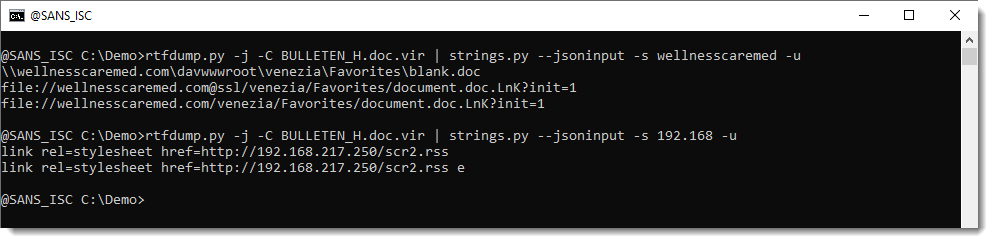
The RTF document contains a shellcode that triggers the Equation Editor exploit. The next payload is C:Usersuser01AppDataLocalTemplicense.ini. It's a DLL (SHA256:d8ed658cc3d0314088cf8135399dbba9511e7f117d5ec93e6acc757b43e58dbc) that is invoked with the following function: IEX

CmD.exe /C rundll32 %tmp%license.ini,IEX Ax12x0cC

You can see the special characters used as parameters to the function here:

This DLL is pretty well obfuscated, I'l still having a look at it but the malware family is not sure… Maybe another Formbook.

[1] https://en.wikipedia.org/wiki/Matryoshka_doll

Xavier Mertens (@xme)
Xameco
Senior ISC Handler – Freelance Cyber Security Consultant
PGP Key

(c) SANS Internet Storm Center. https://isc.sans.edu Creative Commons Attribution-Noncommercial 3.0 United States License.
Introducing AWS IoT Core Device Location integration with Amazon Sidewalk

This post was originally published on this site

Today, I’m happy to announce a new capability to resolve location data for Amazon Sidewalk enabled devices with the AWS IoT Core Device Location service. This feature removes the requirement to install GPS modules in a Sidewalk device and also simplifies the developer experience of resolving location data. Devices powered by small coin cell batteries, such as smart home sensor trackers, use Sidewalk to connect. Supporting built-in GPS modules for products that move around is not only expensive, it can creates challenge in ensuring optimal battery life performance and longevity.

With this launch, Internet of Things (IoT) device manufacturers and solution developers can build asset tracking and location monitoring solutions using Sidewalk-enabled devices by sending Bluetooth Low Energy (BLE), Wi-Fi, or Global Navigation Satellite System (GNSS) information to AWS IoT for location resolution. They can then send the resolved location data to an MQTT topic or AWS IoT rule and route the data to other Amazon Web Services (AWS) services, thus using different capabilities of AWS Cloud through AWS IoT Core. This would simplify their software development and give them more options to choose the optimal location source, thereby improving their product performance.

This launch addresses previous challenges and architecture complexity. You don’t need location sensing on network-based devices when you use the Sidewalk network infrastructure itself to determine device location, which eliminates the need for power-hungry and costly GPS hardware on the device. And, this feature also allows devices to efficiently measure and report location data from GNSS and Wi-Fi, thus extending the product battery life. Therefore, you can build a more compelling solution for asset tracking and location-aware IoT applications with these enhancements.

For those unfamiliar with Amazon Sidewalk and the AWS IoT Core Device Location service, I’ll briefly explain their history and context. If you’re already familiar with them, you can skip to the section on how to get started.

AWS IoT Core integrations with Amazon Sidewalk
Amazon Sidewalk is a shared network that helps devices work better through improved connectivity options. It’s designed to support a wide range of customer devices with capabilities ranging from locating pets or valuables, to smart home security and lighting control and remote diagnostics for appliances and tools.

Amazon Sidewalk is a secure community network that uses Amazon Sidewalk Gateways (also called Sidewalk Bridges), such as compatible Amazon Echo and Ring devices, to provide cloud connectivity for IoT endpoint devices. Amazon Sidewalk enables low-bandwidth and long-range connectivity at home and beyond using BLE for short-distance communication and LoRa and frequency-shift keying (FSK) radio protocols at 900MHz frequencies to cover longer distances.

Sidewalk now provides coverage to more than 90% of the US population and supports long-range connected solutions for communities and enterprises. Users with Ring cameras or Alexa devices that act as a Sidewalk Bridge can choose to contribute a small portion of their internet bandwidth, which is pooled to create a shared network that benefits all Sidewalk-enabled devices in a community.

In March 2023, AWS IoT Core deepened its integration with Amazon Sidewalk to seamlessly provision, onboard, and monitor Sidewalk devices with qualified hardware development kits (HDKs), SDKs, and sample applications. As of this writing, AWS IoT Core is the only way for customers to connect the Sidewalk network.

In the AWS IoT Core console, you can add your Sidewalk device, provision and register your devices, and connect your Sidewalk endpoint to the cloud. To learn more about onboarding your Sidewalk devices, visit the Getting started with AWS IoT Core for Amazon Sidewalk in the AWS IoT Wireless Developer Guide.

In November 2022, we announced AWS IoT Core Device Location service, a new feature that you can use to get the geo-coordinates of their IoT devices even when the device doesn’t have a GPS module. You can use the Device Location service as a simple request and response HTTP API, or you can use it with IoT connectivity pathways like MQTT, LoRaWAN, and now with Amazon Sidewalk.

In the AWS IoT Core console, you can test the Device Location service to resolve the location of your device by importing device payload data. Resource location is reported as a GeoJSON payload. To learn more, visit the AWS IoT Core Device Location in the AWS IoT Core Developer Guide.

Customers across multiple industries like automotive, supply chain, and industrial tools have requested a simplified solution such as the Device Location service to extract location-data from Sidewalk products. This would streamline customer software development and give them more options to choose the optimal location source, thereby improving their product.

Get started with a Device Location integration with Amazon Sidewalk
To enable Device Location for Sidewalk devices, go to the AWS IoT Core for Amazon Sidewalk section under LPWAN devices in the AWS IoT Core console. Choose Provision device or your existing device to edit the setting and select Activate positioning in the Geolocation option when creating and updating your Sidewalk devices.

While activating position, you need to specify a destination where you want to send your location data. The destination can either be an AWS IoT rule or an MQTT topic.

Here is a sample AWS Command Line Interface (AWS CLI) command to enable position while provisioning a new Sidewalk device:

$ aws iotwireless createwireless device --type Sidewalk 
  --name "demo-1" --destination-name "New-1" 
  --positioning Enabled

After your Sidewalk device establishes a connection to the Amazon Sidewalk network, the device SDK will send the GNSS-, Wi-Fi- or BLE-based information to AWS IoT Core for Amazon Sidewalk. If the customer has enabled Positioning, then AWS IoT Core Device Location will resolve the location data and send the location data to the specified Destination. After your Sidewalk device transmits location measurement data, the resolved geographic coordinates and a map pin will also be displayed in the Position section for the selected device.

You will also get location information delivered to your destination in GeoJSON format, as shown in the following example:

{
    "coordinates": [
        13.376076698303223,
        52.51823043823242
    ],
    "type": "Point",
    "properties": {
        "verticalAccuracy": 45,
        "verticalConfidenceLevel": 0.68,
        "horizontalAccuracy": 303,
        "horizontalConfidenceLevel": 0.68,
        "country": "USA",
        "state": "CA",
        "city": "Sunnyvale",
        "postalCode": "91234",
        "timestamp": "2025-11-18T12:23:58.189Z"
    }
}

You can monitor the Device Location data between your Sidewalk devices and AWS Cloud by enabling Amazon CloudWatch Logs for AWS IoT Core. To learn more, visit the AWS IoT Core for Amazon Sidewalk in the AWS IoT Wireless Developer Guide.

Now available
AWS IoT Core Device Location integration with Amazon Sidewalk is now generally available in the US East (N. Virginia) Region. To learn more about use cases, documentation, sample codes, and partner devices, visit the AWS IoT Core for Amazon Sidewalk product page.

Give it a try in the AWS IoT Core console and send feedback to AWS re:Post for AWS IoT Core or through your usual AWS Support contacts.

Channy