This
post was originally published on
this site[This is a Guest Diary by Aaron Ng, an ISC intern as part of the SANS.edu BACS program]
Following a RedTail Linux Payload from DShield to Dynamic Analysis
During monitoring of my DShield honeypot, I observed an attacker uploading a collection of Linux executables targeting several processor architectures. The files included ARM, ARM64, i686, RISC-V and x86-64 variants named as part of a RedTail deployment package. Rather than relying only on static indicators or public threat-intelligence results, I extracted the captured payloads from Cowrie and analyzed the x86-64 variant in an isolated malware-analysis environment.
The x86-64 sample analyzed in this article has the following SHA-256 hash:
63be5f38b520b3143732962a5f8fec1f9abd1f483dbc741ed324e58f955dd35e


Dynamic analysis showed that the payload did considerably more than simply execute. It changed its visible process identity, terminated other processes, killed one of the filesystem-monitoring processes used during the experiment, and created a TCP listening socket. A matched pair of pre- and post-execution memory images was also acquired from the Proxmox hypervisor to preserve the malware's runtime state independently of the infected guest.
From Cowrie Upload to Malware Sample
The original files were recovered from the Cowrie download directory on the DShield honeypot and copied into a separate folder named after the event.code on the DShield SIEM “attack-a7fc773a9f1a”. The attack delivered multiple architecture-specific versions of the same malware family together with shell scripts responsible for deployment and cleanup.


The recovered set included variants for:

The associated deployment script inspected the host architecture and selected the appropriate RedTail executable. Static inspection of the x86-64 binary identified it as a statically linked ELF executable. Strings extracted from the sample also contained an indication that it had been processed with the UPX executable packer.


For the controlled experiment described here, I selected redtail.x86_64, matching the architecture of the Ubuntu analysis VM.
Isolated Analysis Environment
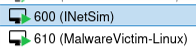
The malware was executed inside an Ubuntu 24.04 virtual machine hosted on Proxmox. The victim was assigned:
10.66.66.10/24
and was connected only to an isolated malware-analysis network.
An INetSim server at:
10.66.66.2
provided simulated network services. The victim had no default route to the Internet. Before execution, connectivity to INetSim was verified while attempts to reach an external address such as 8.8.8.8 returned Network is unreachable.


This design allowed the malware to encounter DNS and network services without allowing it to communicate with real external infrastructure.
Several monitoring mechanisms were started before staging the sample. These included auditd syscall and filesystem rules, inotifywait filesystem monitoring, continuous process and socket sampling, journal and kernel logging, tcpdump on both the victim and INetSim systems, and strace around the actual malware execution.
In addition, guest memory was acquired from outside the infected system using QEMU's dump-guest-memory functionality on the Proxmox host.
Detonating the redtail.x86_64 Elf executable only (Setup.sh and Clean.sh were not ran)
There were three runs (Run 001.1, Run 001.2 and Run 002) of the malware detonation executed, with the VM reverted back to original pre-detonation state between RUN 001 and RUN 002. In RUN 001, the malware file was detonated twice. RUN 001 was run as user privileges but RUN 002 was run as root.
This report will focus on analyzing RUN 002 with comparisons made to RUN 001.1 and 1.2 to establish similiarities and differences between the runs.
Analysing Run 002, two memory images were collected:
vm610-baseline-pre-redtail.elf
vm610-post-redtail.elf
Both images were approximately 6 GB and were independently SHA-256 verified after acquisition. The baseline image was collected after all monitoring processes had been started but before the malware was staged, making the two images suitable for later differential analysis.



Controlled Execution
For the second experiment, the malware was executed directly with the argument observed during the earlier investigation:
redtail.x86_64 ssh
strace confirmed successful execution:
execve("/analysis/run-002/sample/redtail.x86_64",
["/analysis/run-002/sample/redtail.x86_64", "ssh"],
…) = 0

This was important because it established that the subsequent behavior belonged to a successfully executing instance of the recovered Cowrie payload rather than to a failed launch or unrelated process.
Two RedTail-backed processes remained running after execution:
PID 10395
PID 10404
Both /proc/<PID>/exe links resolved to:
/analysis/run-002/sample/redtail.x86_64
and hashing those executable mappings produced the same SHA-256 as the original recovered sample.
Despite this, neither process presented itself as redtail.x86_64.
Instead, both appeared as:
php-fpm: pool www


Process Masquerading
The strace output captured the mechanism RedTail used to alter its visible process name:
prctl(PR_SET_NAME, "php") = 0
The successful return value demonstrates that RedTail deliberately modified its task name.
The result was a process that appeared in ordinary process listings as a legitimate PHP-FPM worker:
php-fpm: pool www
while /proc/<PID>/exe continued to identify the executable as the original RedTail sample.
This creates a useful forensic distinction. A process listing by itself could suggest that PHP-FPM was running on the system, while examining /proc/<PID>/exe and hashing the mapped executable revealed that the apparent PHP process was actually the RedTail binary.
This behavior was also consistent with an earlier experimental run in which surviving RedTail processes presented themselves using a PostgreSQL-like process name. The repeated observation suggests that RedTail uses legitimate-looking service names to make malicious processes less conspicuous in routine process inspection.

Process Termination and Monitoring Interference
One of the clearest behavioral findings from Run 002 was RedTail's use of SIGKILL.
Before execution, the automated readiness check confirmed that the filesystem-monitoring process was active:
[OK] inotify PID 1199

During malware execution, strace recorded:
kill(1199, SIGKILL) = 0
The return value of zero indicates that the signal was successfully delivered.
After execution, the same readiness check reported:
[!!] inotify not running

This provides a direct evidence chain:
inotifywait running
↓
RedTail calls kill(1199, SIGKILL)
↓
kernel reports success
↓
inotifywait no longer running
RedTail also issued successful SIGKILL calls against several additional PIDs during the same execution.

An important limitation must be stated here: Run 002 executed RedTail with root privileges. This gave the malware sufficient permission to terminate the root-owned monitoring process. In the earlier Run 001 experiment, a lower-privileged RedTail process attempted to terminate a root-owned monitor but received EPERM. Therefore, the successful termination observed in Run 002 demonstrates RedTail's process-killing behavior, while the ability to kill the monitoring process specifically depended on the privileges under which the sample was executed.

Network Activity, Listener, and INetSim Observations
After execution, surviving RedTail process PID 10395 was observed listening on 0.0.0.0:39983

Although the process appeared as php-fpm: pool www, /proc/10395/exe resolved to the analyzed redtail.x86_64 sample. No packets involving TCP/39983 were observed in the Run 002 victim PCAP, so the purpose of the listening socket could not be determined.


While INetSim and packet capture initially showed no obvious RedTail outbound traffic, auditd revealed that PID 10395 attempted multiple external connect() calls on TCP port 853. Destinations included 1.1.1.1, 1.0.0.1, 8.8.8.8, 8.8.4.4, 9.9.9.9, 9.9.9.10, and several additional addresses. TCP/853 is commonly associated with DNS-over-TLS, and most of the observed destinations were public DNS resolver infrastructure.

Two addresses, 80.152.203.134 and 109.91.184.21, did not clearly correspond to known public resolver services during the investigation. Reverse-DNS information showed that 80.152.203.134 resolved to mail3.kekew.info and was allocated to Deutsche Telekom AG (AS3320), while 109.91.184.21 resolved to ip-109-091-184-021.um37.pools.vodafone-ip.de and belonged to a Vodafone GmbH static B2B customer pool (AS3209). Both addresses were contacted by the same RedTail-backed process on TCP/853, with the connection attempts failing with ENETUNREACH. Their specific role in the observed activity could therefore not be confirmed, and they were retained as anomalous resolver candidates rather than classified as malicious infrastructure.


Because the victim was deliberately configured without a default Internet route, every external connection attempt failed with ENETUNREACH before a packet could leave the host. This explains why these attempts were absent from both the victim PCAP and INetSim logs. In this case, endpoint auditing revealed network intent that network monitoring alone could not observe.
Differential analysis of the pre- and post-execution memory images also found several of the TCP/853 destinations only in post-execution memory. However, examination of the surrounding RAM showed that these strings belonged to cached audit records containing the RedTail PID, executable path, destination address and failed connect() result. The memory findings therefore corroborated the auditd evidence but were not treated as proof that RedTail stored its resolver list directly in plaintext process memory.


The same TCP/853 resolver sequence was reproduced in both separate RedTail executions. Several destinations corresponded to established DNS-over-TLS services, strongly supporting the interpretation that this sequence forms part of RedTail's resolver-selection or encrypted DNS initialization behaviour.

A RedTail-backed TCP listener was observed during both executions, but the listening port differed between runs (40219 in Run 001 and 39983 in Run 002). No traffic involving either listener was observed during the corresponding packet captures. This suggests that the listener port may be dynamically selected, although two observations are insufficient to determine the exact selection mechanism.

Filesystem Changes and Persistence
Run 002 provided direct evidence of persistence. Immediately after execution, the RedTail-backed process spawned a shell that first removed the existing root crontab and then installed a new entry containing @reboot <RedTail executable>. The resulting /var/spool/cron/crontabs/root file was absent from the pre-execution filesystem baseline but present following execution. This established a straightforward reboot-persistence mechanism: RedTail would be relaunched whenever the infected host restarted.





RedTail also spawned a separate shell that invoked iptables -F and attempted to insert an INPUT rule allowing TCP traffic to port 39983. This was the same port on which the surviving masqueraded RedTail process was listening. The behavior therefore suggests that RedTail attempted to expose its newly created listener through the host firewall. Audit and process-accounting evidence confirm that both iptables commands were executed as root; however, because no post-execution firewall ruleset or command termination status was preserved, successful application of the firewall changes could not be independently verified.




Run 001 showed the same persistence and firewall logic while RedTail was executed as the unprivileged victor58 account. Instead of creating a root crontab, RedTail removed and replaced the current user's crontab, resulting in the creation of /var/spool/cron/crontabs/victor58 with an @reboot entry pointing to the RedTail executable. This demonstrates that the cron persistence mechanism does not depend on root privileges; RedTail installs persistence under whichever account is executing the malware. Run 001 contained two separate executions of the sample, and each execution repeated this behavior. The corresponding firewall commands attempted to flush the ruleset and allow inbound access to the dynamically selected listener ports 39539 and 40219. Because these commands were executed as UID 1000 without root privileges, successful firewall modification was not established and would normally require additional privileges.




Across the two runs, the persistence behavior was therefore consistent while the resulting crontab depended on execution context: Run 001 persisted through the victor58 user crontab, whereas Run 002 persisted through the root crontab. The listener ports also differed across executions (39539, 40219, and 39983), further supporting the observation that RedTail selects a high-numbered listening port dynamically rather than relying on a single fixed port.
Process Masquerading and Listener Establishment
RedTail established a high-numbered TCP listener while disguising its process identity. During the first Run 001 execution, RedTail changed its process name to php, and the surviving malware process, PID 147999, was subsequently observed listening on 0.0.0.0:39539. Audit records from the same execution showed a child process invoking iptables -I INPUT -p tcp –dport 39539 -j ACCEPT, directly linking the firewall-modification attempt to the dynamically selected listener port. The iptables executable was successfully launched, although the preserved evidence does not confirm that the non-root process successfully applied the firewall rule.
The behaviour was reproduced with different values across subsequent executions. The second Run 001 execution masqueraded using a PostgreSQL-like process name and listened on TCP port 40219, while the root-privileged Run 002 execution used the process name php, a php-fpm: pool www process title, and listened on TCP port 39983. The differing ports across the three executions indicate dynamic high-port selection rather than reliance on a fixed listening port. In each case, RedTail's firewall command referenced the corresponding selected listener port.
RUN 001.1 Pictures


RUN 001.2 Pictures

RUN 002 Pictures



Summary

Host Discovery and System Profiling
Immediately after execution, RedTail performed extensive host profiling through Linux /proc and /sys interfaces. It queried processor characteristics, CPU topology and cache configuration, system memory, NUMA layout, huge-page availability, GPU information, kernel boot parameters, and DMI hardware identifiers.
Several of these queries were capable of identifying the analysis environment as virtualized. In Run 002, the returned data included the hypervisor CPU flag, QEMU system and chassis vendor values, SeaBIOS, and a Q35 virtual-machine product identifier. Despite receiving these virtualization indicators, RedTail continued executing its persistence, listener-creation and network-initialization routines.
To determine whether this profiling was incidental or part of a consistent initialization routine, the same query set was compared across both RedTail executions in Run 001 and the root-privileged execution in Run 002.
Raw Log Screenshot Snippets



Processed Logs Screenshot Snippet

RedTail Host Profiling Queries — Run 002
RedTail first queried /proc/cpuinfo and /proc/cmdline, obtaining processor, architecture and kernel information. The CPU information identified the virtual machine as exposing an AMD Ryzen 7 6800H processor with four visible CPUs and included the hypervisor CPU flag.
The sample then enumerated the topology of CPUs 0 through 3. It queried core IDs, CPU maps, package and die relationships, and CPU availability. This allowed it to identify the number and arrangement of available processors.
RedTail also performed unusually detailed cache enumeration. It queried the type, level, size, line size, number of sets, and sharing relationships of the available L1, L2 and L3 caches. It continued checking additional cache indexes until the kernel returned ENOENT, indicating that no further cache levels were present.
This behaviour shows that RedTail was not limited to simply determining the processor model or CPU count. It collected detailed information about the resources and topology available to the process.

CPU topology

CPU cache profiling

NUMA and memory profiling
RedTail queried /proc/meminfo to determine total and available system memory, swap configuration and huge-page availability. In Run 002, the VM exposed approximately 6 GB of RAM and 4 GB of swap, while no huge pages were currently allocated.
The sample also queried NUMA information under /sys/devices/system/node. It identified a single NUMA node, obtained the CPUs associated with that node, examined node-specific memory usage, and checked both 2 MB and 1 GB huge-page configurations. RedTail additionally attempted to query NUMA bandwidth and latency interfaces, although these returned ENOENT because the interfaces were unavailable in the VM.
The detailed CPU, cache, NUMA and huge-page enumeration resemble resource-suitability profiling that could be useful to a computationally intensive workload. However, the observed system calls
alone do not establish exactly how RedTail used this information.

Hardware and virtualization profiling
RedTail queried multiple DMI identifiers under /sys/devices/virtual/dmi/id/. It also retrieved the VM's product_uuid when executing with root privileges.
These results show that RedTail queried information sufficient to identify the system as a QEMU virtual machine. The evidence does not establish that the malware performed anti-VM evasion or terminated based on these values; in this experiment, it continued execution despite receiving them.

Host Profiling Comparison Across Run 001 and Run 002
The host-profiling behaviour was highly reproducible.
Run 001 contained two separate non-root executions of RedTail, and each produced 180 extracted host query/reply records. Run 002 executed the same sample as root. After normalizing the process-specific /proc/<PID>/cpuset path, the unique host-information query sets from all three executions were identical and produced the same SHA-256 hash.
This demonstrated that RedTail consistently queried the same categories of information across all three executions:
• CPU and processor capabilities
• CPU topology
• cache configuration
• system memory
• NUMA topology
• huge-page configuration
• GPU information
• kernel configuration
• DMI hardware and virtualization identifiers
1. Identify which Run 001 trace files performed the host profiling

2. Extract PATH | REPLY from every matching RedTail trace

3. Then list what was created:

4. Make a clean list of only the paths queried

5. Compare the two Run 001 executions

6. Compare Run 001 with Run 002
Create its path-only version for Run 002, same formatting as applied to Run 001:

Then compare it against Run 001:

7. Normalizing the process-specific /proc/<PID>/cpuset pathname

8. Comparing all 3 runs query paths again with sha256 hashes of the files.

Result: All the same query paths being run.
After which, a comparison of the returned values was performed. A comparison was taken between the two non-root Run 001 executions:

The comparison of the returned values showed that most differences were simply caused by changing system state. For example, free and available memory differed between executions while the same /proc/meminfo query was performed each time.
The comparison between Run 001 and Run 002 were more interesting because Run 001 was non-root while Run 002 was root directly, the differences were related to execution privilege. During the non-root Run 001 executions, the following DMI queries returned EACCES:
chassis_serial | ERROR: EACCES
product_serial | ERROR: EACCES
product_uuid | ERROR: EACCES
During root-privileged Run 002, RedTail queried exactly the same paths, but access succeeded:
chassis_serial | [empty]
product_serial | [empty]
product_uuid | 770cb473-61eb-4f56-9777-d9e44d8ad48f
The second Run 001 execution gives the same non-root result, strengthening the finding.


This suggests that RedTail did not adapt its discovery routine according to privilege. Instead, it attempted the same enumeration sequence and obtained additional information when its execution context permitted access.
Root Privileges Query Output (No error returned):

Profiling Summary
The analysis showed that host and resource profiling is a consistent part of RedTail's initialization behaviour. Across three separate executions—two non-root executions in Run 001 and one root execution in Run 002—the malware queried an identical normalized set of host-information paths.
RedTail collected considerably more information than was required simply to identify the operating system. It enumerated CPU topology and cache geometry, system and NUMA memory, huge-page configuration, GPU availability, kernel parameters and DMI hardware identifiers. Execution privilege affected what information the operating system returned, but not which resources RedTail attempted to query.
Across all executions, RedTail obtained clear indicators that the analysis host was virtualized, including the hypervisor CPU flag, QEMU vendor strings, SeaBIOS and the Q35 virtual-machine identifier. Despite receiving these signals, the sample continued with cron persistence, listener creation, firewall-manipulation attempts and network initialization. This suggests that obvious virtualization indicators alone were not sufficient to alter or halt RedTail’s observed runtime behaviour. One possible explanation is that virtualization by itself is no longer a reliable indicator of a malware-analysis sandbox, because similar characteristics are also common in legitimate VPS and cloud-hosted Linux environments. The purpose of these virtualization-related queries therefore cannot be conclusively attributed to sandbox evasion.
Process Termination and Defense Evasion
During Run 002, RedTail enumerated running processes through /proc, resolved their executable paths, and inspected command-line arguments before selectively issuing SIGKILL. The malware successfully terminated PID 1199, an inotifywait process used by the analysis environment to monitor filesystem changes. It also successfully killed the timeout process supervising the tracing session, along with two sudo processes associated with the script used to launch the experiment. In each of these cases, the kill() system call returned 0, confirming that the termination request succeeded.
RedTail also identified /usr/bin/strace, read the command line showing that it was tracing the RedTail executable, and then issued SIGKILL against the strace process. The trace terminated while recording this system call, so its return value was not preserved. Nevertheless, the sequence provides strong evidence that RedTail actively interfered with the instrumentation used to observe its behaviour during the root-privileged execution. The available dynamic evidence confirms analysis-tool disruption, although it does not yet establish the exact criteria RedTail used to decide which processes to terminate.



The same process-enumeration and termination behaviour was reproduced during the two non-root executions in Run 001. In both executions, RedTail identified the root-owned inotifywait process used to monitor filesystem changes, read its command line, and attempted to terminate it with SIGKILL. These attempts returned EPERM, demonstrating that the non-root execution context prevented RedTail from terminating the root-owned monitor.


Process terminated as Root:

However, non-root privileges did not prevent RedTail from interfering with analysis processes running under the same user context. During the second Run 001 execution, RedTail identified and successfully terminated the timeout process supervising its strace session. It then identified /usr/bin/strace, read the command line showing that the tracer was monitoring the RedTail executable, and invoked SIGKILL; the trace terminated before the system-call return value could be recorded. The second execution also successfully terminated PID 147999, the surviving RedTail process from the first execution, suggesting possible previous-instance cleanup or single-instance enforcement.
Process terminated as User:


Together, Runs 001 and 002 show that RedTail's process-disruption routine operates regardless of privilege, while its effectiveness depends on the ownership and privilege level of the target process. Root execution enabled RedTail to terminate the root-owned filesystem monitor, whereas non-root execution was restricted to processes it was permitted to signal.
Overall Conclusion
Dynamic analysis of the RedTail sample revealed a consistent sequence of host discovery, persistence, process manipulation, network initialization, and defensive interference across both privileged and unprivileged executions. Although individual values such as process names and listening ports changed between executions, the underlying behavior was highly reproducible.
RedTail performed extensive host profiling through Linux /proc and /sys interfaces, enumerating processor characteristics, cache topology, memory, NUMA configuration, huge-page availability, and DMI hardware information. The same normalized set of host-information paths was queried across both Run 001 executions and Run 002. The sample also obtained explicit virtualization indicators, including the hypervisor CPU flag, QEMU identifiers, SeaBIOS, and a Q35 virtual-machine product name, but continued execution despite receiving this information. Execution privilege affected the information available to the malware but did not substantially alter its discovery routine.
Persistence was established through the current execution account's crontab using an @reboot entry pointing to the RedTail executable. Consequently, the non-root Run 001 execution created persistence for victor58, while the root-privileged Run 002 execution created root-level cron persistence. RedTail also attempted to manipulate the host firewall by flushing existing rules and inserting an INPUT rule for its dynamically selected TCP listener. The selected listener changed between executions—TCP ports 39539, 40219, and 39983 were observed—while the corresponding iptables command referenced the matching port in each case. Firewall modification was confirmed as attempted, although the preserved evidence does not establish successful rule application in every execution.
RedTail additionally disguised its running processes. Observed process names included php and a PostgreSQL-like postgres: user …, while Run 002 also presented a process title of php-fpm: pool www despite the executable remaining redtail.x86_64. The masquerading processes owned the dynamically selected TCP listeners, demonstrating that the altered identities were associated with the surviving malware processes rather than unrelated applications.
A particularly significant finding was RedTail's interference with the analysis environment. The malware enumerated running processes, inspected executable paths and command-line arguments, and selectively issued SIGKILL. During non-root Run 001, attempts to terminate the root-owned inotifywait filesystem monitor failed with EPERM; however, RedTail remained capable of disrupting analysis processes that it had permission to signal, including the timeout process supervising its tracing session. During root-privileged Run 002, the same inotifywait monitor was successfully terminated. RedTail also identified /usr/bin/strace, read the command line showing that it was tracing redtail.x86_64, and issued SIGKILL; the trace terminated while recording that operation. These observations demonstrate that the process-disruption routine was present regardless of privilege, while its effectiveness depended on the privileges and ownership of the target process.
Network analysis identified repeated connection attempts to multiple external IP addresses on TCP port 853. The same target sequence appeared across Run 001 and Run 002, supporting its association with RedTail rather than unrelated host activity. Because the analysis VM deliberately had no default Internet route, these connections failed with ENETUNREACH and did not leave the host. The use of TCP/853 is consistent with DNS-over-TLS infrastructure, although the isolated environment prevented observation of any successful protocol exchange and therefore does not establish the ultimate purpose of those connections.
Static examination of the accompanying clean.sh script identified additional cleanup functionality targeting cron entries, shell-startup files, temporary directories, miner-related services, and suspicious process names. However, the script was not observed executing during either dynamic-analysis run. Its functionality should therefore be treated separately from behavior directly demonstrated by redtail.x86_64.
Overall, the experiments show RedTail as a Linux threat that combines persistent execution, extensive host profiling, process masquerading, dynamically selected listening services, attempted firewall manipulation, repeated external network initialization, and active interference with monitoring and analysis processes. Running the sample under both non-root and root contexts was particularly valuable: the experiments demonstrated that RedTail largely follows the same behavioral sequence regardless of privilege, while elevated privileges substantially increase the effectiveness of actions such as accessing protected host identifiers, modifying privileged resources, and terminating root-owned monitoring processes.
Limitations of Analysis:
• External TCP/853 connections could not complete because the victim intentionally had no Internet route.
• No inbound interaction with the RedTail listeners was observed, so their higher-level protocol/function was not established.
• Successful execution of iptables via execve() does not by itself prove that every firewall-rule change was successfully applied.
• clean.sh and setup.sh was analyzed statically and was not observed executing during Runs 001 or 002.
Indicators of Compromise

MITRE ATT&CK Mapping

Other Summary Findings – Supporting RedTail File Deployment and Clean Up
Static Analysis of SETUP.SH *Not Executed in any of the runs*
Static examination of setup.sh identified a multi-architecture staging and execution mechanism for RedTail. The script determines the victim's processor architecture and selects an associated payload for x86-64, x86, ARM or RISC-V systems. It enumerates user-owned writable directories and examines filesystem noexec settings to identify a suitable staging location, with /tmp, /var/tmp and /dev/shm included as fallback locations. The selected RedTail binary is copied into a randomly generated dot-prefixed filename, marked executable and launched with the argument ssh. Following execution, the script deletes the more readily identifiable redtail.* architecture-specific payload files from both the staging and original directories. This combination of malware relocation, hidden-file staging and artifact cleanup appears intended to reduce the visibility of the deployed executable. Static analysis does not, by itself, establish that setup.sh executed during the controlled dynamic-analysis runs.
Static Analysis of CLEAN.SH *Not Executed in any of the runs*
Static analysis of the accompanying clean.sh script revealed functionality designed to remove common Linux malware persistence mechanisms and terminate suspicious processes. The script first disables and stops a service named c3pool_miner. It then removes immutable and append-only attributes from cron files before filtering user and system cron configurations for commands containing strings such as wget, curl, /dev/tcp, /tmp, .sh, nc, bash -i, sh -i, and base64 -d.
The cleanup extends across user crontabs, /etc/crontab, cron scheduling directories, /etc/anacrontab, and the current user's crontab. The script additionally removes the top-level contents of /tmp, /var/tmp, and /dev/shm, and applies the same filtering routine to .bashrc, .bash_profile, and .profile. These actions are consistent with an attempt to remove scheduled-task, shell-startup, and temporary-file persistence.
Finally, the script attempts to terminate processes associated with unusual names including /bin/-bash, systemtd, and /usr/bin/.sh using SIGKILL. The name systemtd resembles the legitimate systemd service name and may represent an attempt to target a masquerading process. However, the available evidence does not establish that these filenames belong specifically to the RedTail sample analyzed in Runs 001 and 002.
The script was not observed executing during either dynamic-analysis run. Its contents should therefore be treated as static functionality associated with the recovered script rather than behaviour directly observed from redtail.x86_64.
SETUP.SH File Contents


CLEAN.SH File Contents

[1] https://www.inetsim.org/index.html
[2] https://github.com/bruneaug/DShield-SIEM/tree/main
[3] https://www.sans.edu/cyber-security-programs/bachelors-degree/
———–
Guy Bruneau IPSS Inc.
My GitHub Page
Twitter: GuyBruneau
gbruneau at isc dot sans dot edu
(c) SANS Internet Storm Center. https://isc.sans.edu Creative Commons Attribution-Noncommercial 3.0 United States License.