
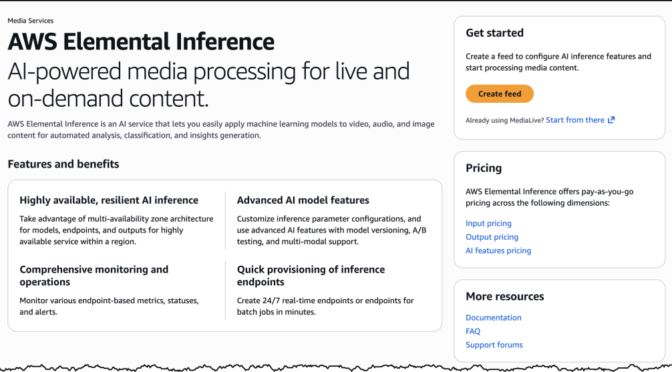
Today, we’re announcing AWS Elemental Inference, a fully managed AI service that automatically transforms and maximizes live and on-demand video broadcasts to engage audiences at scale. At launch, you’ll be able to use AWS Elemental Inference to adapt video content into vertical formats optimized for mobile and social platforms in real time.
With AWS Elemental Inference, broadcasters and streamers can reach audiences on social and mobile platforms such as TikTok, Instagram Reels, and YouTube Shorts without manual postproduction work or AI expertise.
Today’s viewers consume content differently than they did even a few years ago. However, most broadcasts are produced in landscape format for traditional viewing. Converting these broadcasts into vertical formats for mobile platforms typically requires time-consuming manual editing that causes broadcasters and streamers to miss viral moments and lose audiences to mobile-first destinations.
Let’s try it out
AWS Elemental Inference offers flexible deployment options to fit your existing workflow. You can choose to create a feed through the standalone console or configure AWS Elemental Inference through the AWS Elemental MediaLive console.
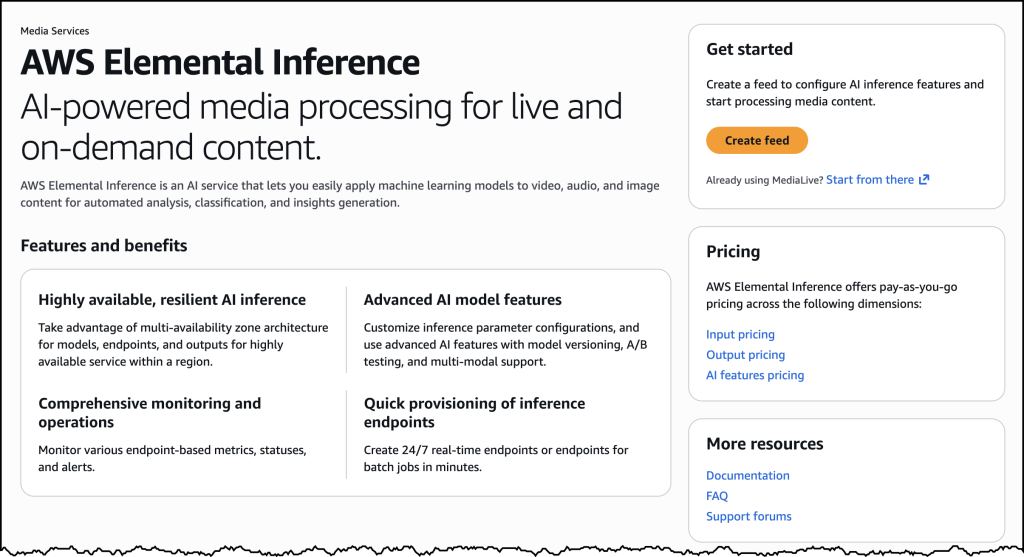
To get started with AWS Elemental Inference, navigate to the AWS Management Console and choose AWS Elemental Inference. From the dashboard, choose Create feed to establish your top-level resource for AI-powered video processing. A feed contains your feature configurations and begins in CREATING state before transitioning to AVAILABLE when ready.
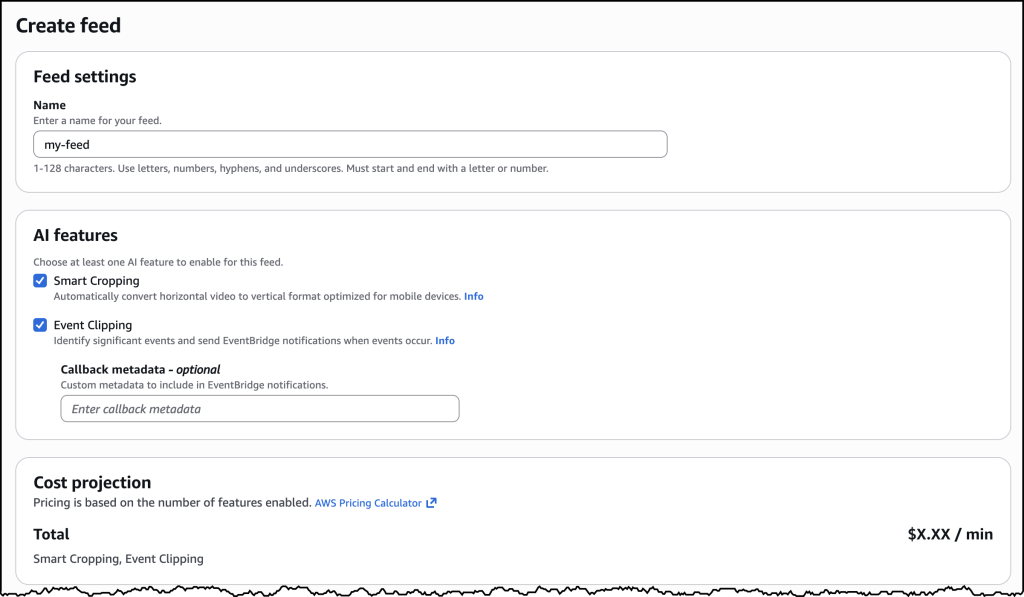
After creating your feed, you can configure outputs for either vertical video cropping or clip generation. For cropping, you can start with an empty feed. The service automatically manages cropping parameters based on your video specifications. For clip generation, choose Add output, provide a name (such as “highlight-clips”), select Clipping as the output type, and set the status to ENABLED.
This standalone interface provides a streamlined experience for configuring and managing your AI-powered video transformations, making it straightforward to get started with vertical video creation and clip generation.
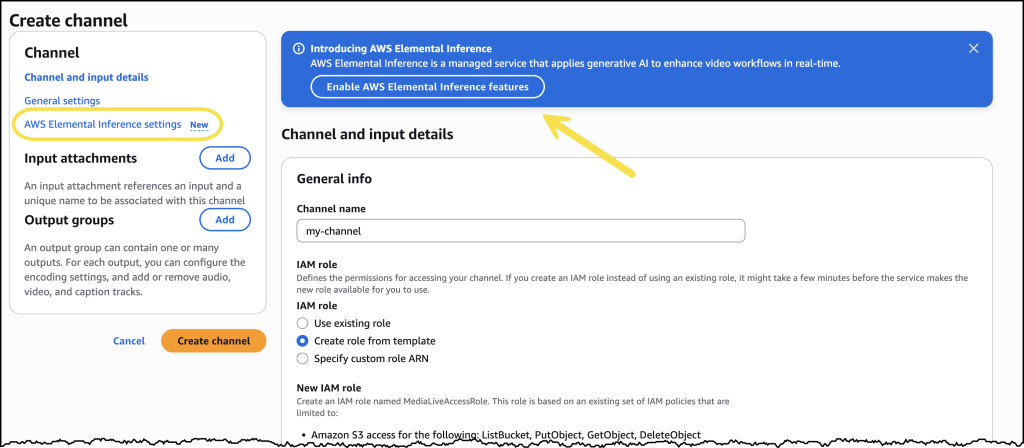
Alternatively, you can enable AWS Elemental Inference directly within your AWS Elemental MediaLive channel configuration. You can use this integrated approach to add AI capabilities to your existing live video workflows without modifying your architecture. Enable the features you need as part of your channel setup, and AWS Elemental Inference will work in parallel with your video encoding.
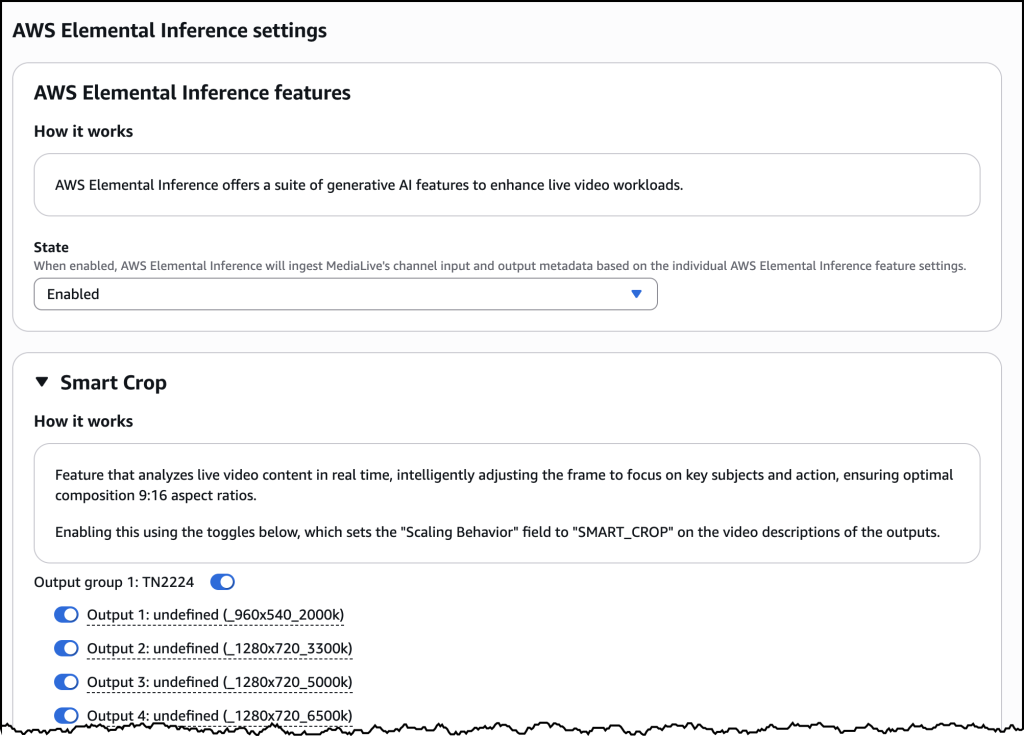
After it’s enabled, you can configure Smart Crop with outputs for different resolution specifications within an Output group.
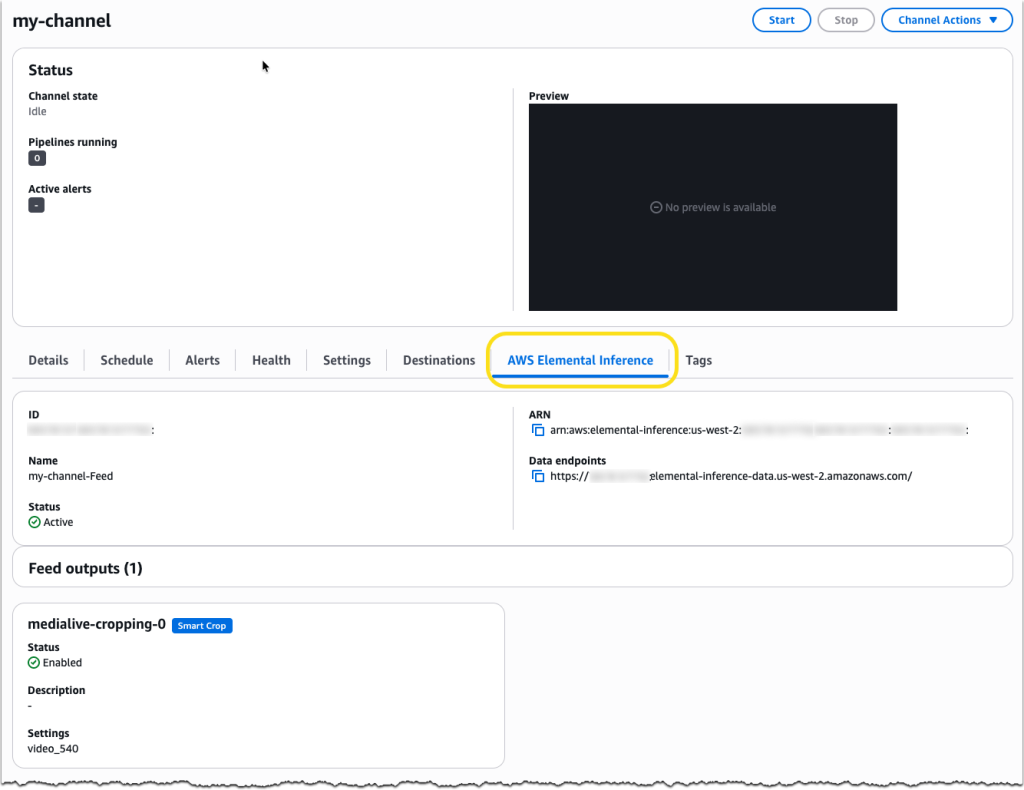
AWS Elemental MediaLive now includes a dedicated AWS Elemental Inference tab on the channel details page, providing a centralized view of your AI-powered video transformation configuration. The tab displays the service Amazon Resource Name (ARN), data endpoints, and feed output details, including which features, such as Smart Crop, are enabled and their current operational status.
How AWS Elemental Inference works
The service uses an agentic AI application that analyses video in real time and automatically applies the right optimizations at the right moments. Detection of vertical video cropping and clip generation happens independently, executing multistep transformations that require no human intervention to extract value.
AWS Elemental Inference analyzes video and automatically applies AI capabilities with no human-in-the-loop prompting required. While you focus on quality video production, the service autonomously optimizes content to create personalized content experiences for your audience.
AWS Elemental Inference applies AI capabilities in parallel with live video, achieving 6–10 second latency compared to minutes for traditional postprocessing approaches. This “process once, optimize everywhere” method runs multiple AI features simultaneously on the same video stream, eliminating the need to reprocess content for each capability.
The service integrates seamlessly with AWS Elemental MediaLive, so you can enable AI features without modifying your existing video architecture. AWS Elemental Inference uses fully managed foundation models (FMs) that are automatically updated and optimized, so you don’t need dedicated AI teams or specialized expertise.
Key features at launch
Enjoy the following key features when AWS Elemental Inference launches:
- Vertical video creation – AI-powered cropping intelligently transforms landscape broadcasts into vertical formats (9:16 aspect ratio) optimized for social and mobile platforms. The service tracks subjects and keeps key action visible, maintaining broadcast quality while automatically reformatting content for mobile viewing.
- Clip generation with advanced metadata analysis – Automatically detects and extracts clips from live content, highlighting moments for real-time distribution. For live broadcasts, this means identifying game-winning plays in soccer and basketball—reducing manual editing from hours to minutes.
Keep an eye on this space as more features and capabilities will be introduced throughout this year, including tighter integration with core AWS Elemental services and features to help customers monetize their video content.
Now available
AWS Elemental Inference is available today in 4 AWS Regions: US East (N. Virginia), US West (Oregon), Europe (Ireland), and Asia Pacific (Mumbai). You can enable AWS Elemental Inference through the AWS Elemental MediaLive console or integrate it into your workflows using the AWS Elemental MediaLive APIs.
With consumption-based pricing, you pay only for the features you use and the video you process, with no upfront costs or commitments. This means you can scale during peak events and optimize costs during quieter periods.
To learn more about AWS Elemental Inference, visit the AWS Elemental Inference product page. For technical implementation details, see the AWS Elemental Inference documentation.